All work

HX Insight · Mobile app

An iOS and Android app for what employees do between meetings: clock in, fix a missed punch, ask for leave, approve from a notification and get through the first week. Liquid Glass for the controls, HX Insight for the content.
Role

Lead product designer

Product

HX Insight mobile app

Platform

iOS and Android

People

Employee, line manager, new hire

Status

Shipped

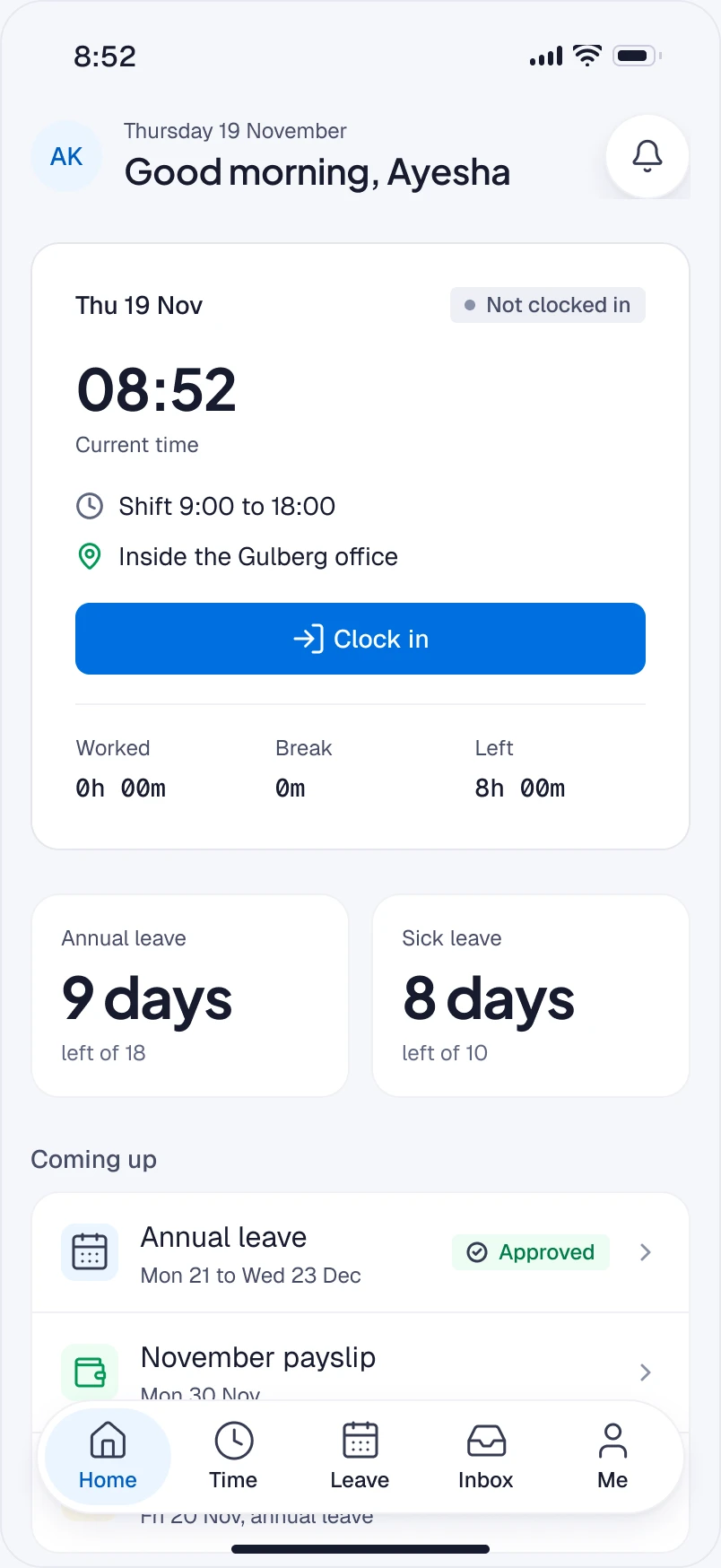
Home: Good morning, Ayesha, with the clock card at 08:52 and Clock in, her annual and sick leave balances, and what is coming up.
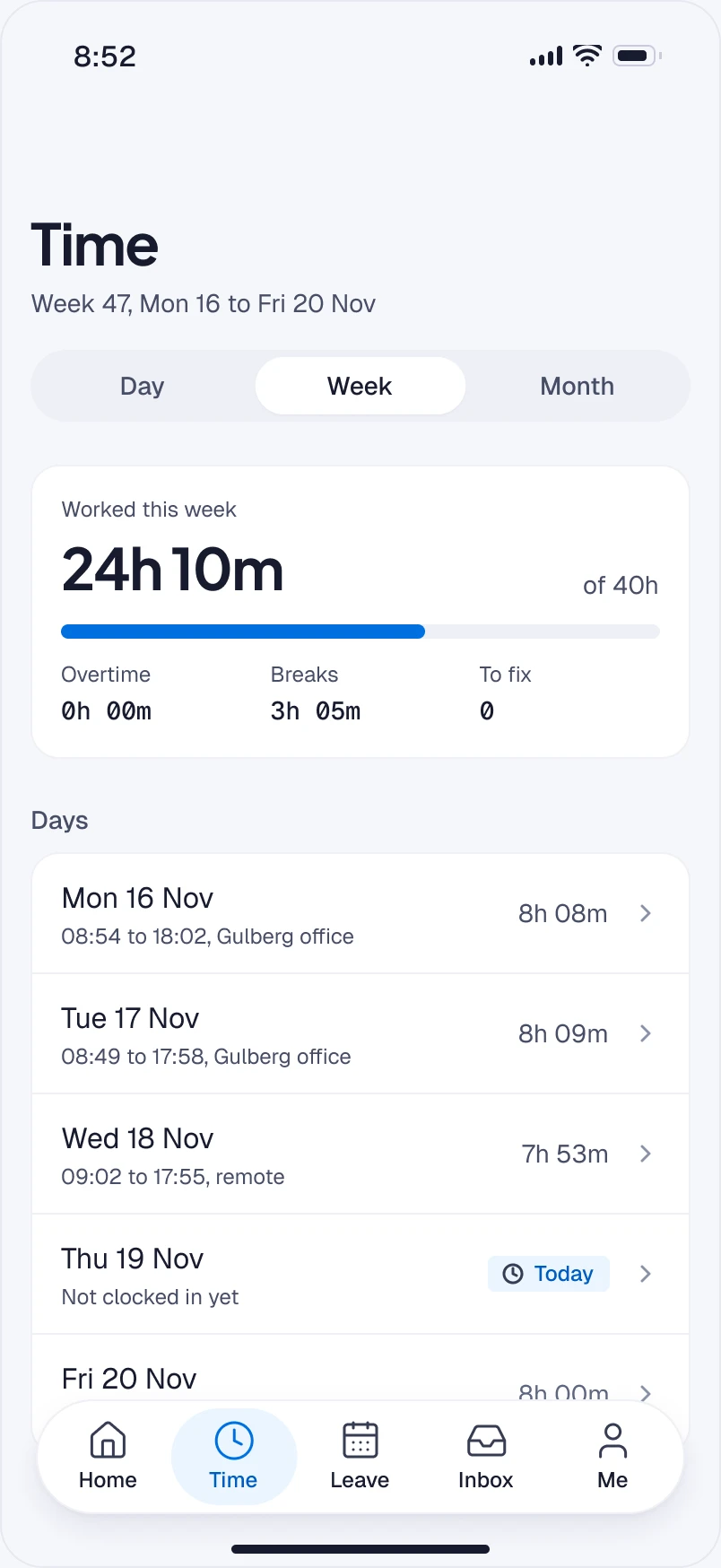
Time: week 47 at 24h 10m of 40h, then each day with its hours.
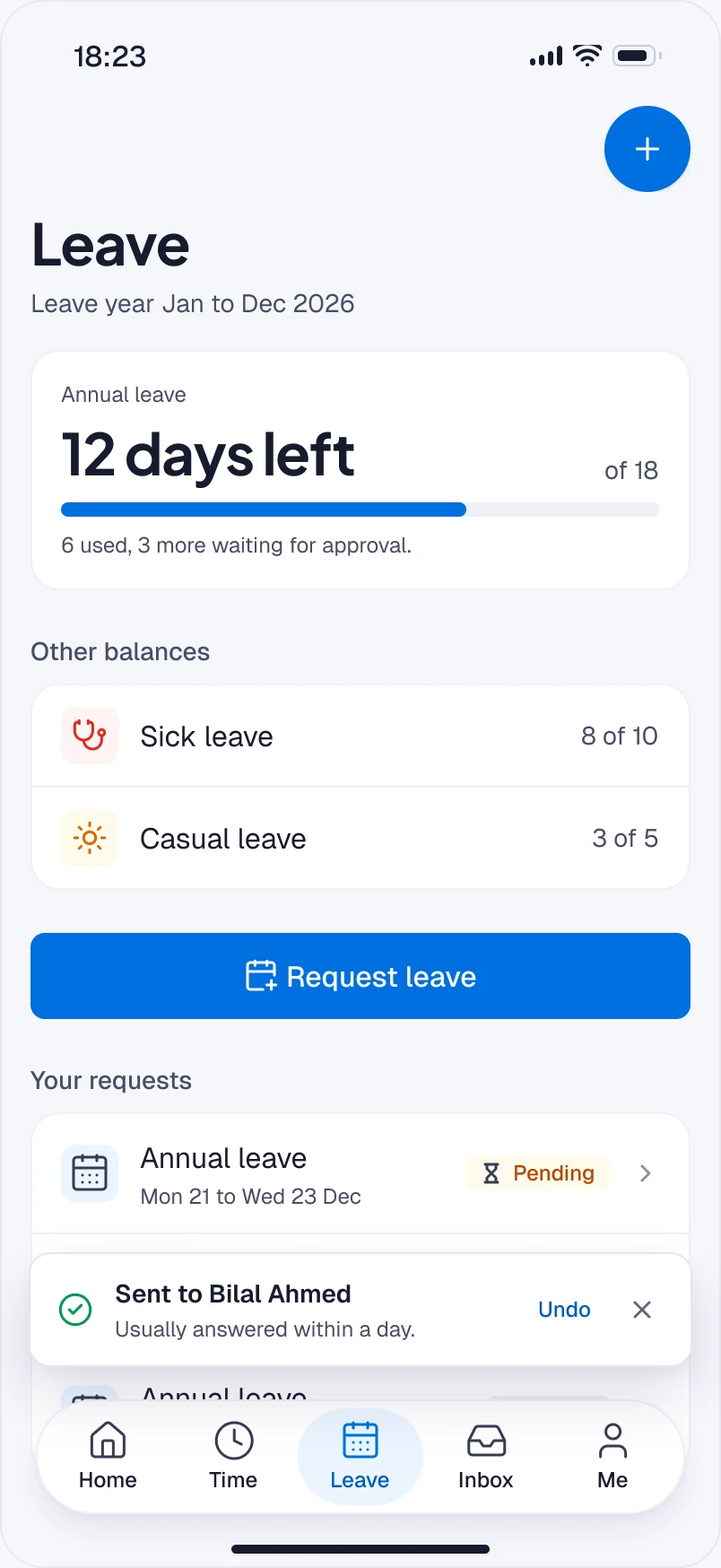
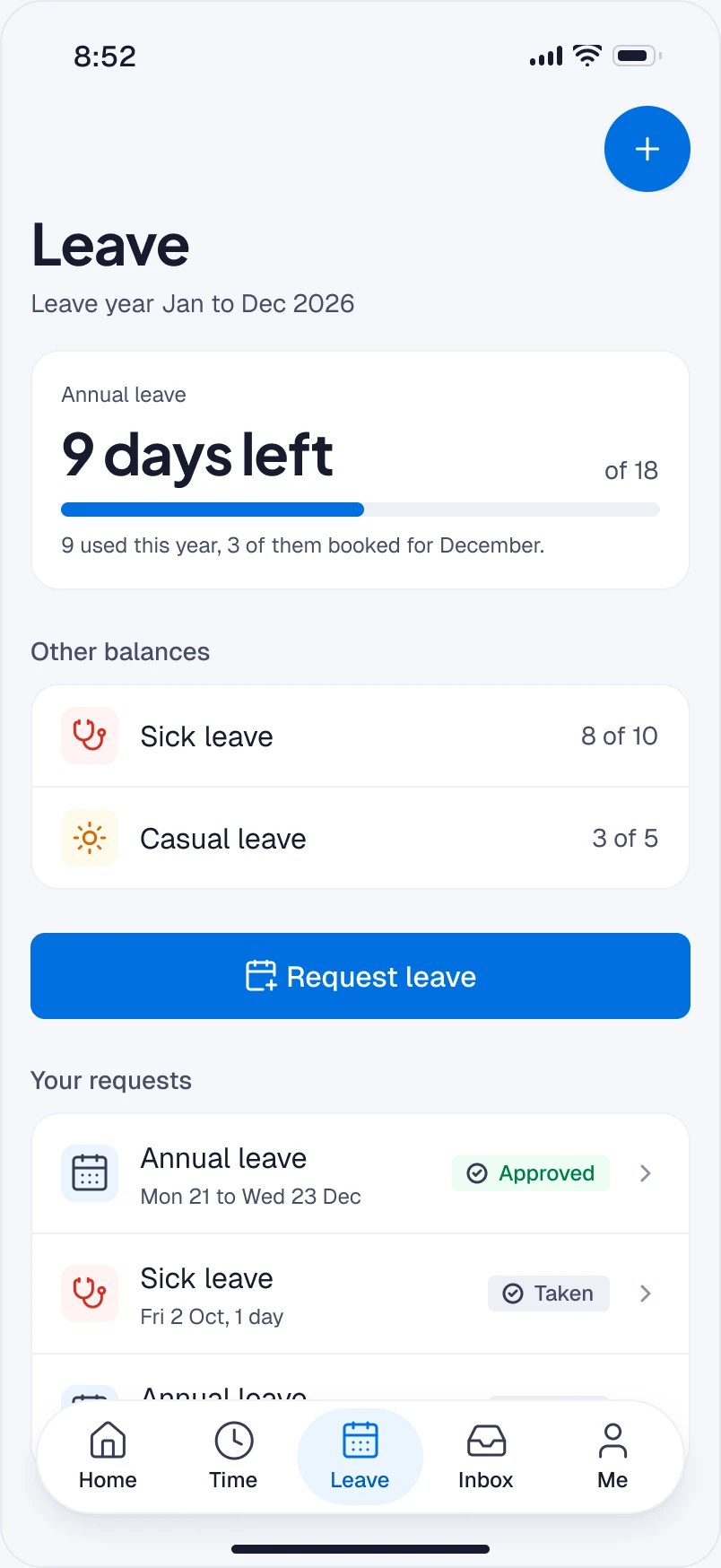
Leave: 9 days of annual leave left, other balances, Request leave, and her requests with their status.
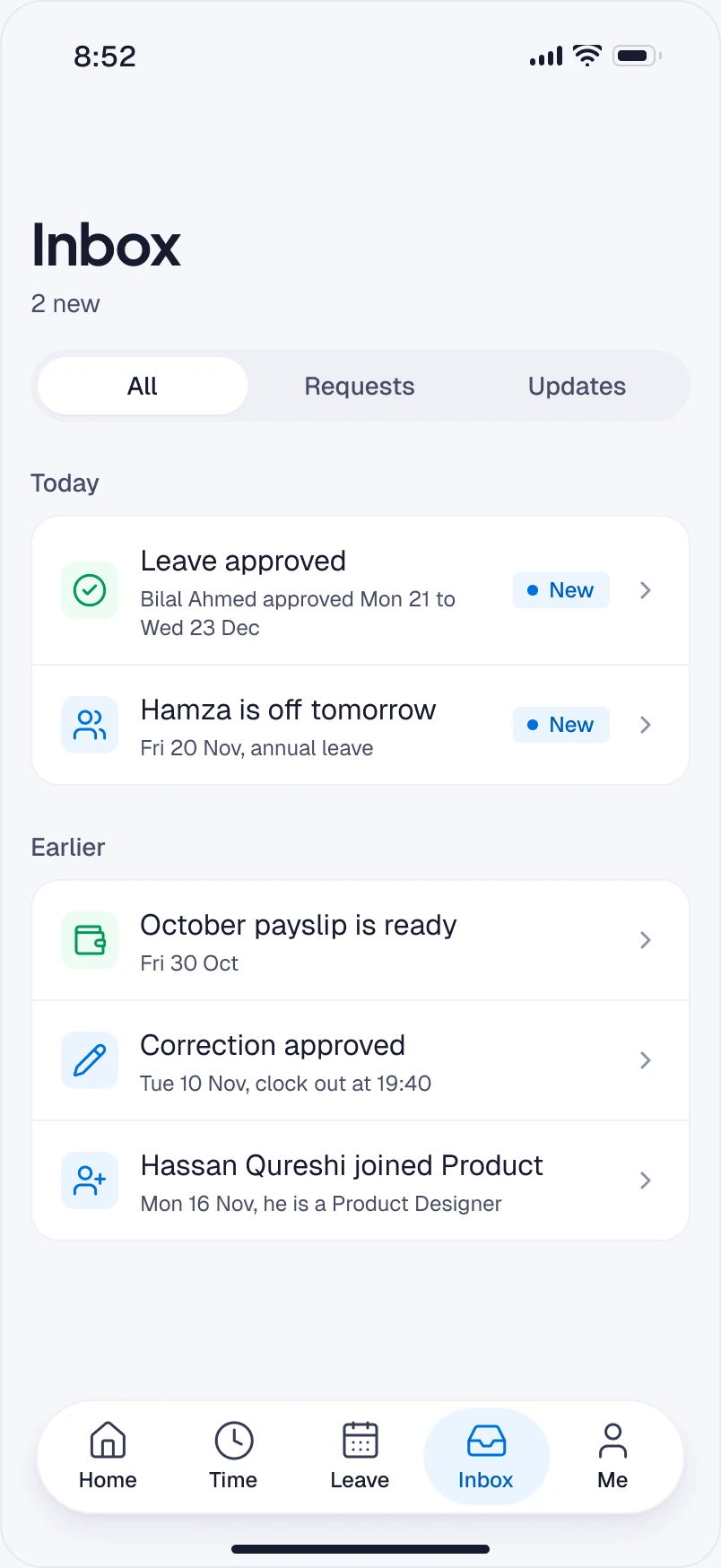
Inbox: leave approved, a teammate off tomorrow, a payslip ready, a correction approved and a new joiner, with new items marked.
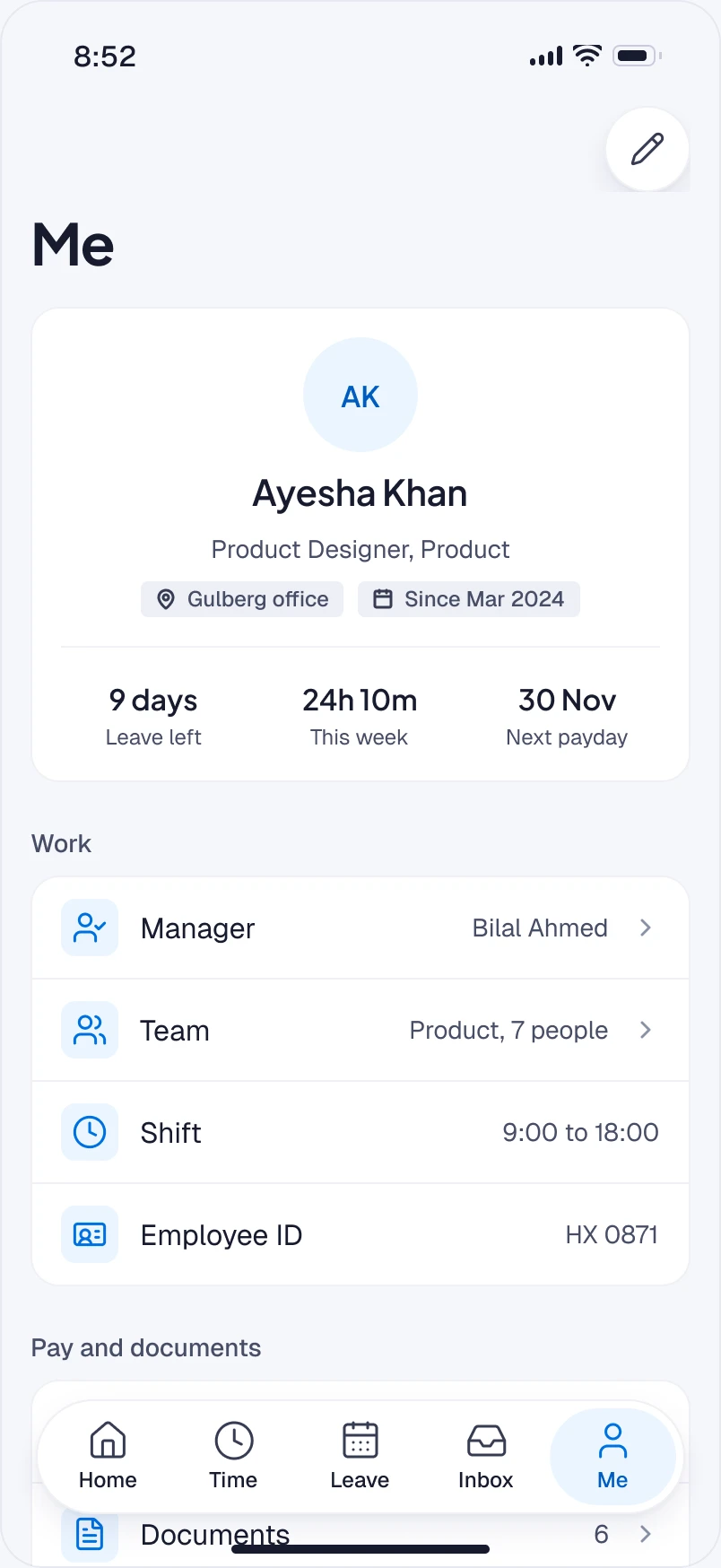
Me: Ayesha’s profile with her manager, team, shift and employee ID, and pay and documents.

Problem

The quick HR jobs happen between meetings, away from a desk.

My role

Lead product designer. HX Insight mobile app, iOS and Android.

What changed

Four jobs start to finish: clock in, fix a missed punch, ask for leave and approve from a notification, plus the first week.

Result

iOS and Android app for HX Insight. Liquid Glass for the controls, HX Insight for the content.
Four jobs, each start to finish
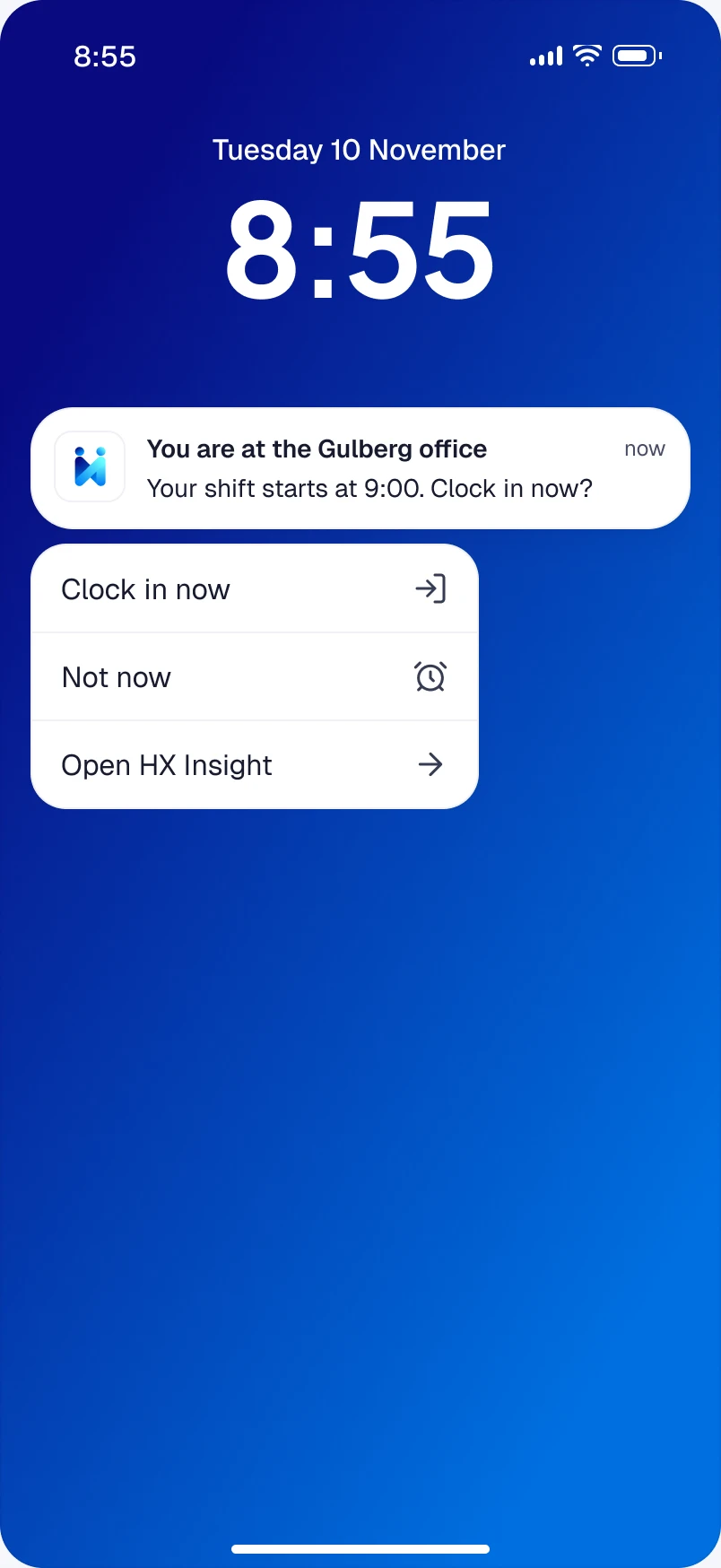
Lock screen at 8:55: a notification that Ayesha is at the Gulberg office and her shift starts at 9:00, expanded to Clock in now, Not now and Open HX Insight.
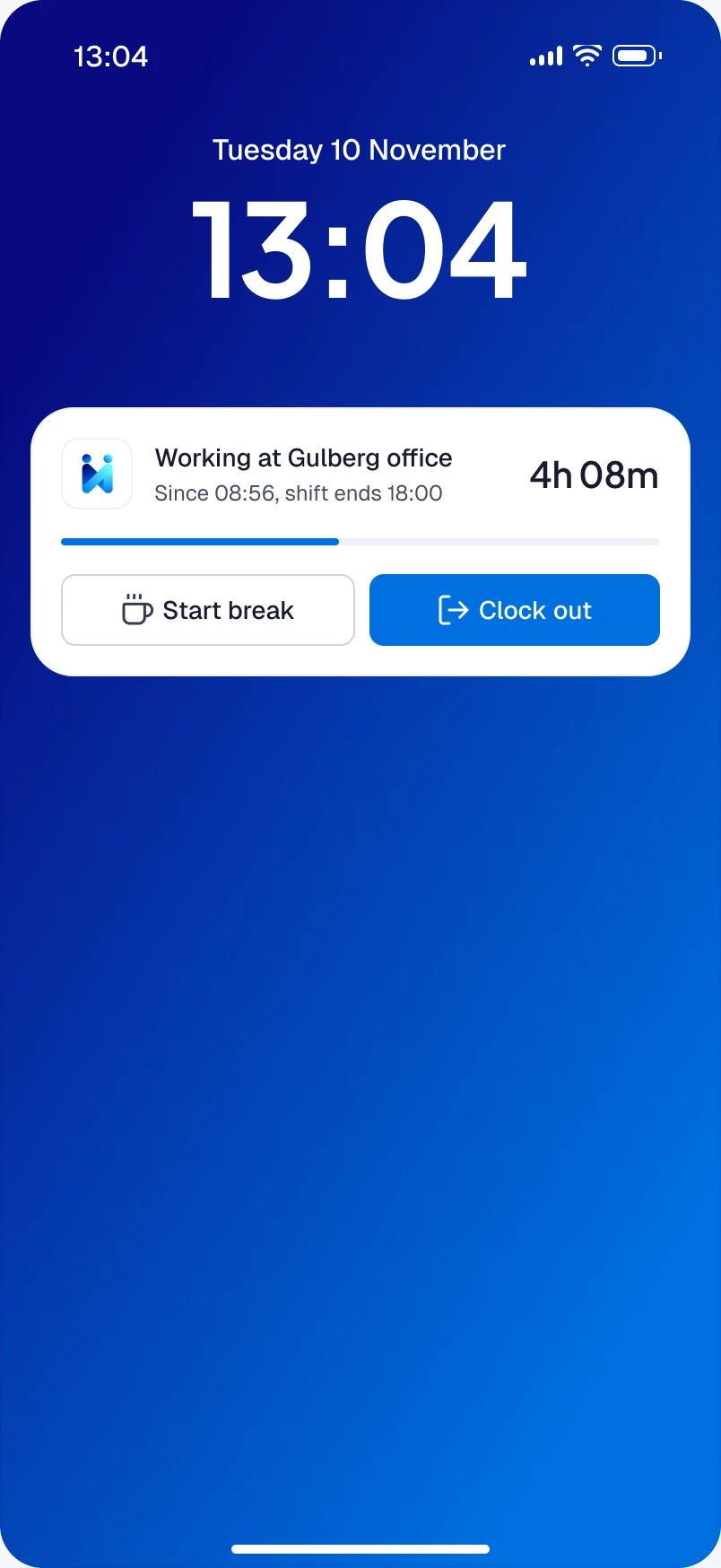
Lock screen at 13:04 with a Live Activity: working at the Gulberg office for 4h 08m, with Start break and Clock out.
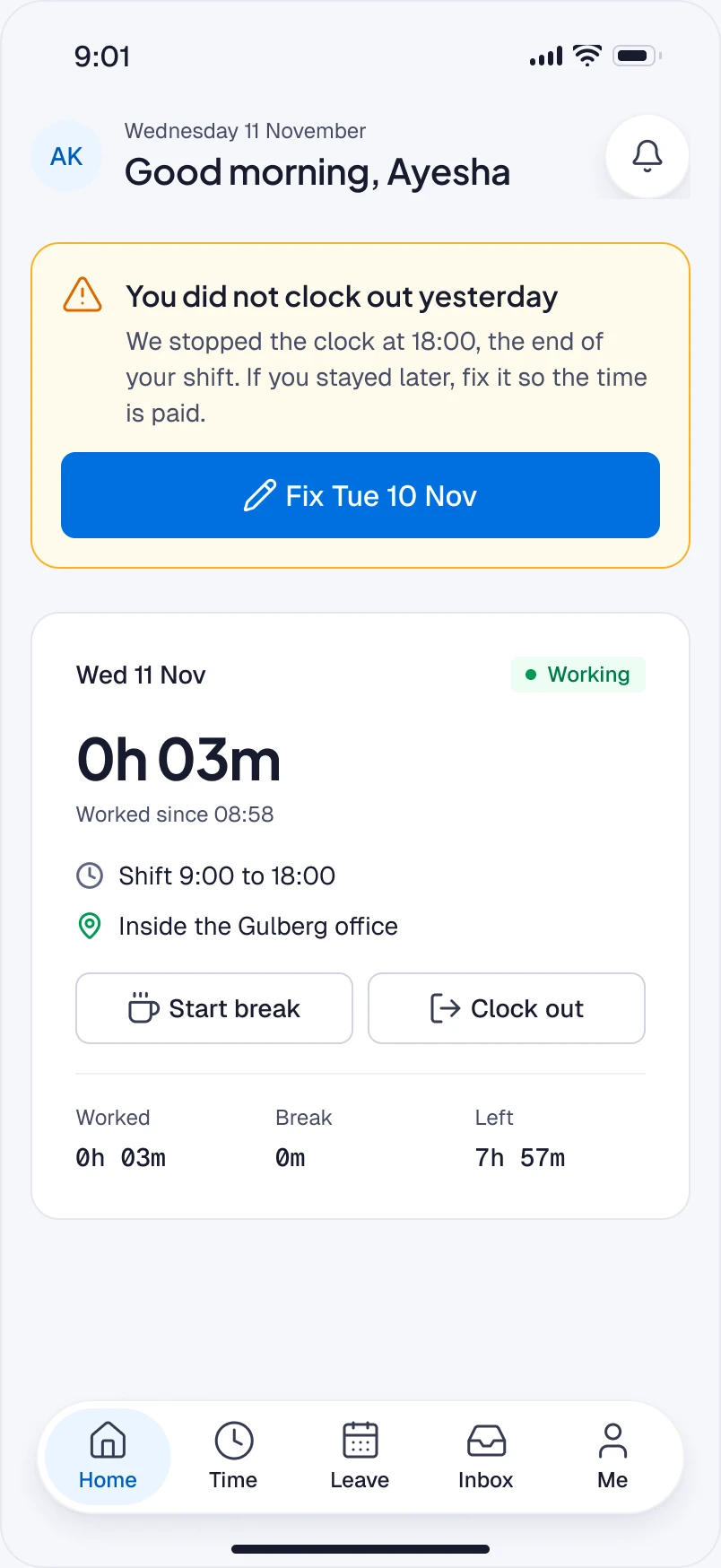
Home the next morning, leading with “You did not clock out yesterday”: the clock stopped at 18:00, with a Fix Tue 10 Nov button.
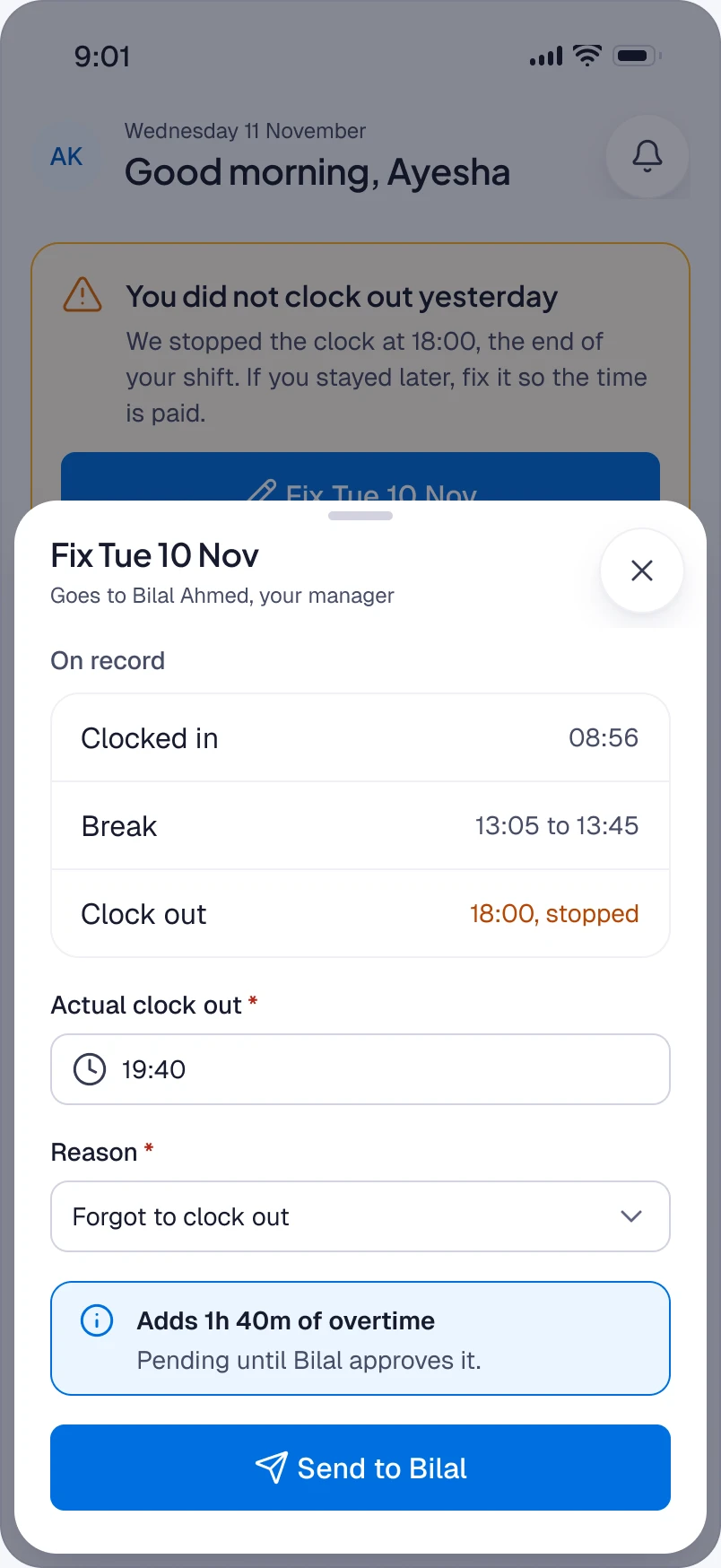
The Fix Tue 10 Nov sheet over Home: what is on record, the actual clock-out time of 19:40, a reason, the 1h 40m of overtime it adds, and Send to Bilal.
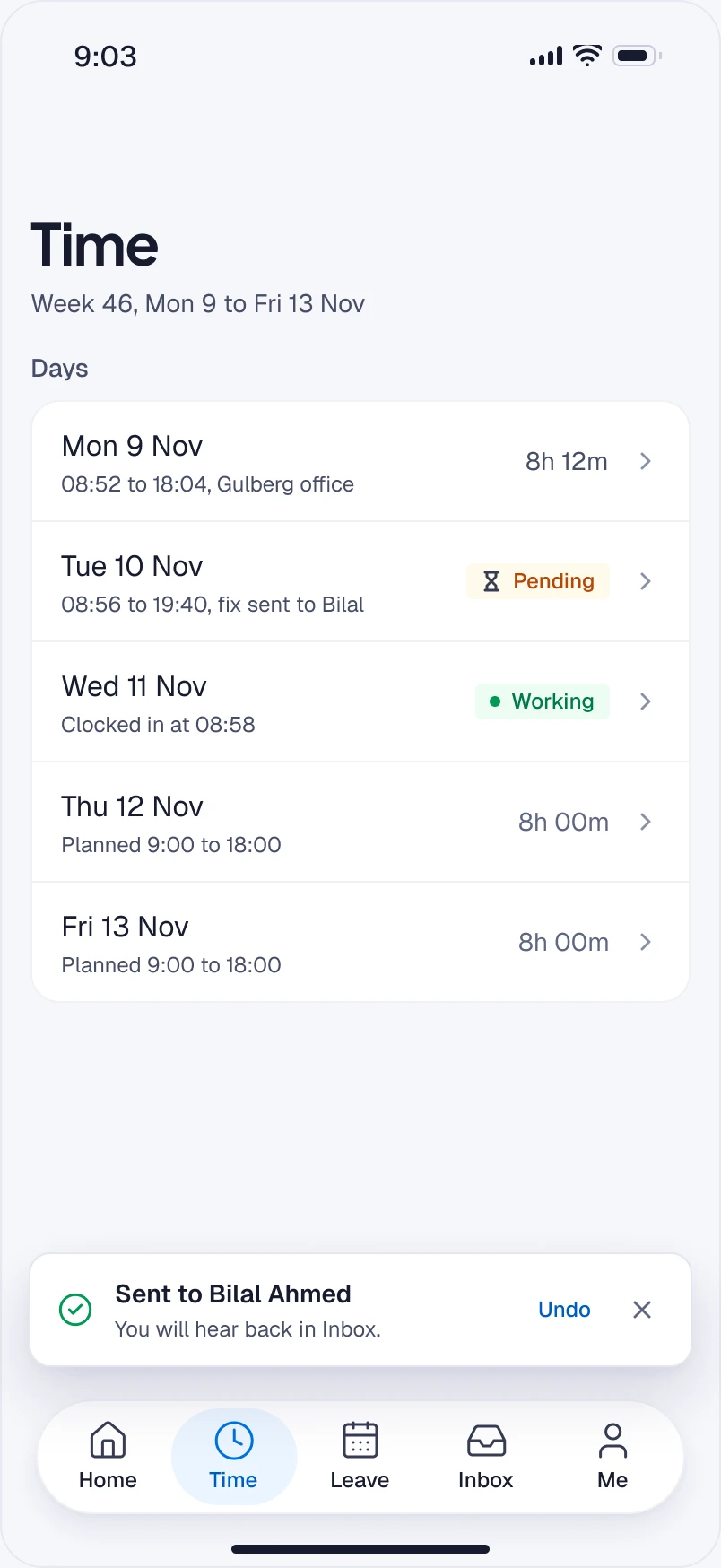
The Time tab with Tuesday shown as pending at the new hours, and a confirmation that it was sent to Bilal Ahmed.
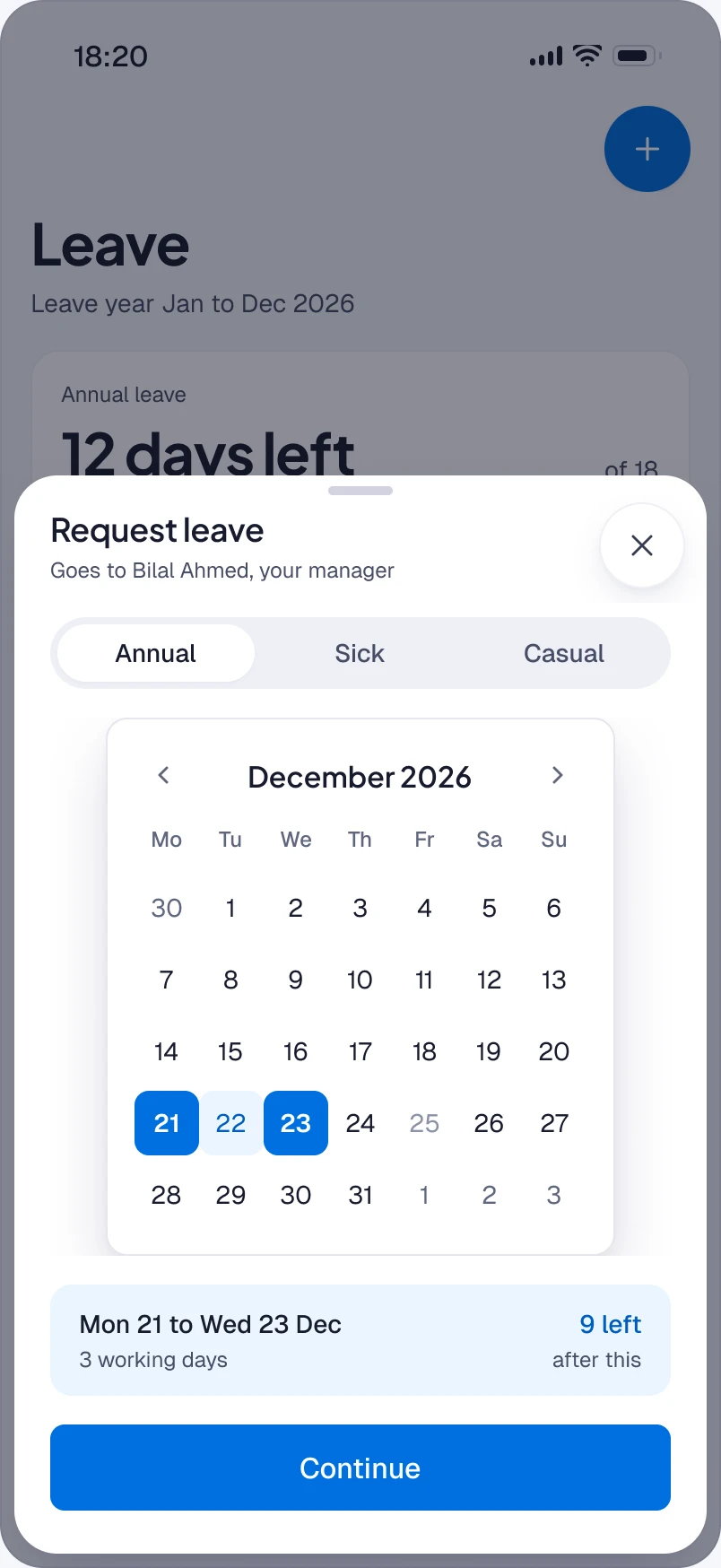
The request leave sheet over Ayesha’s balance: the leave type and dates dragged across the calendar, working days counted and the public holiday skipped, and what will be left.
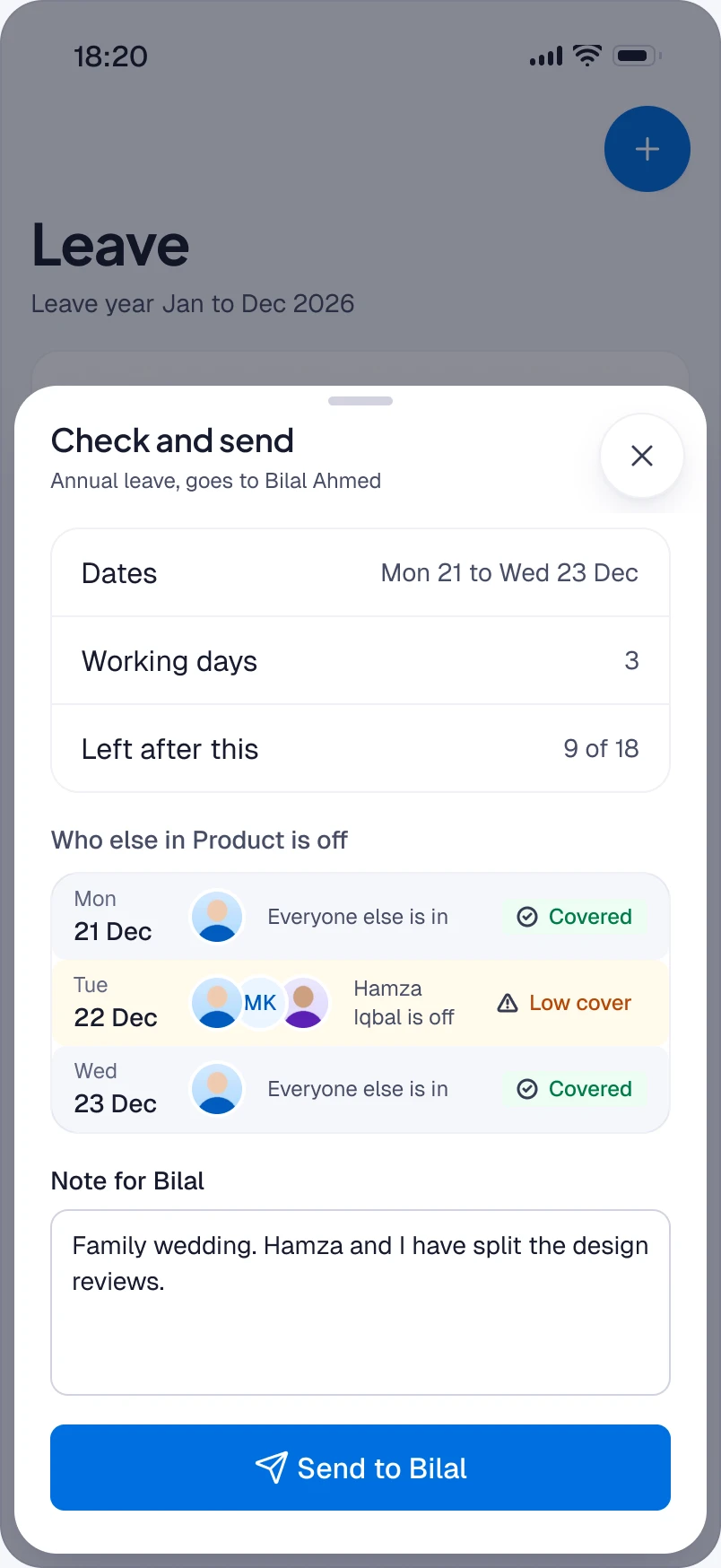
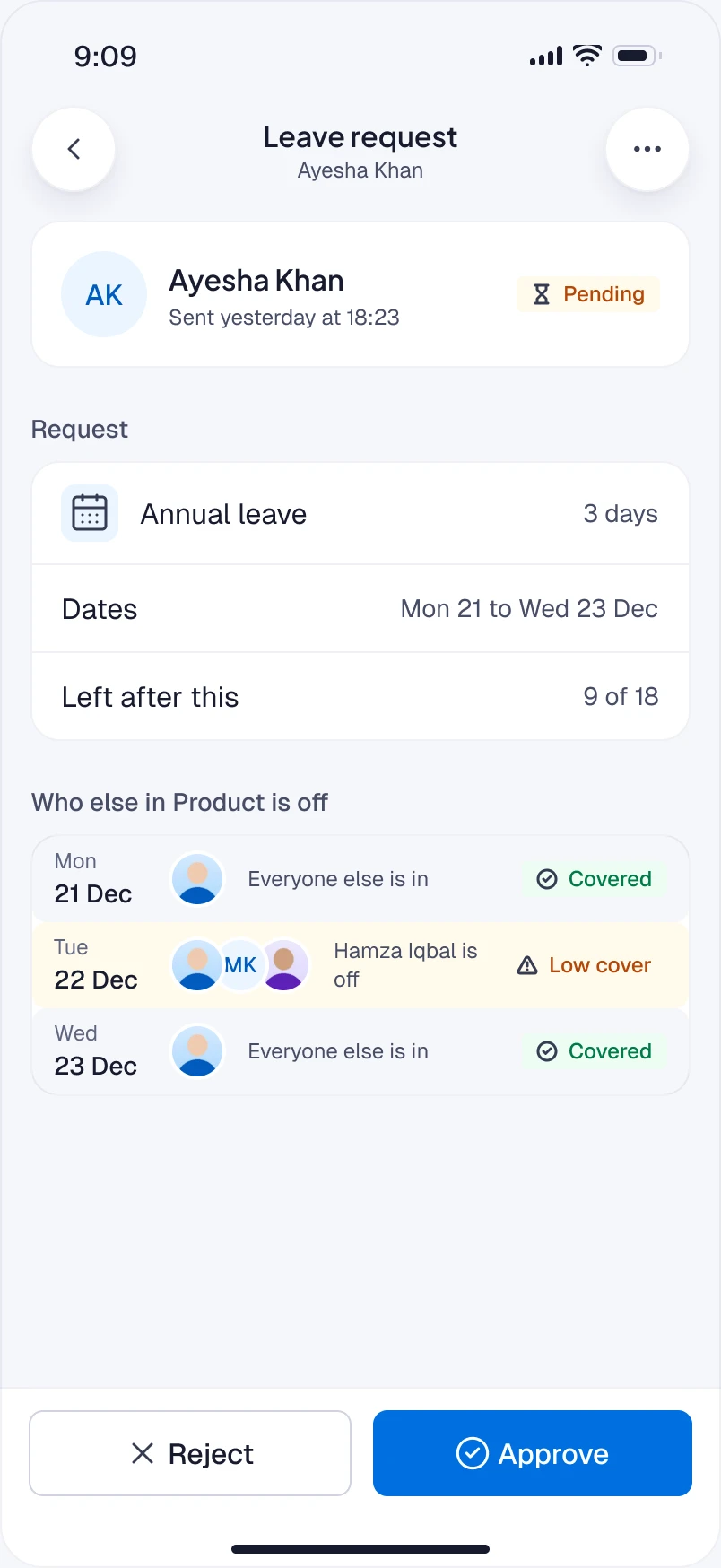
The request before sending: the dates in one place and who else in Product is off on those days, with a note for Bilal about cover.
Her leave list with the new request at the top as pending, and the balance showing the three days as booked.
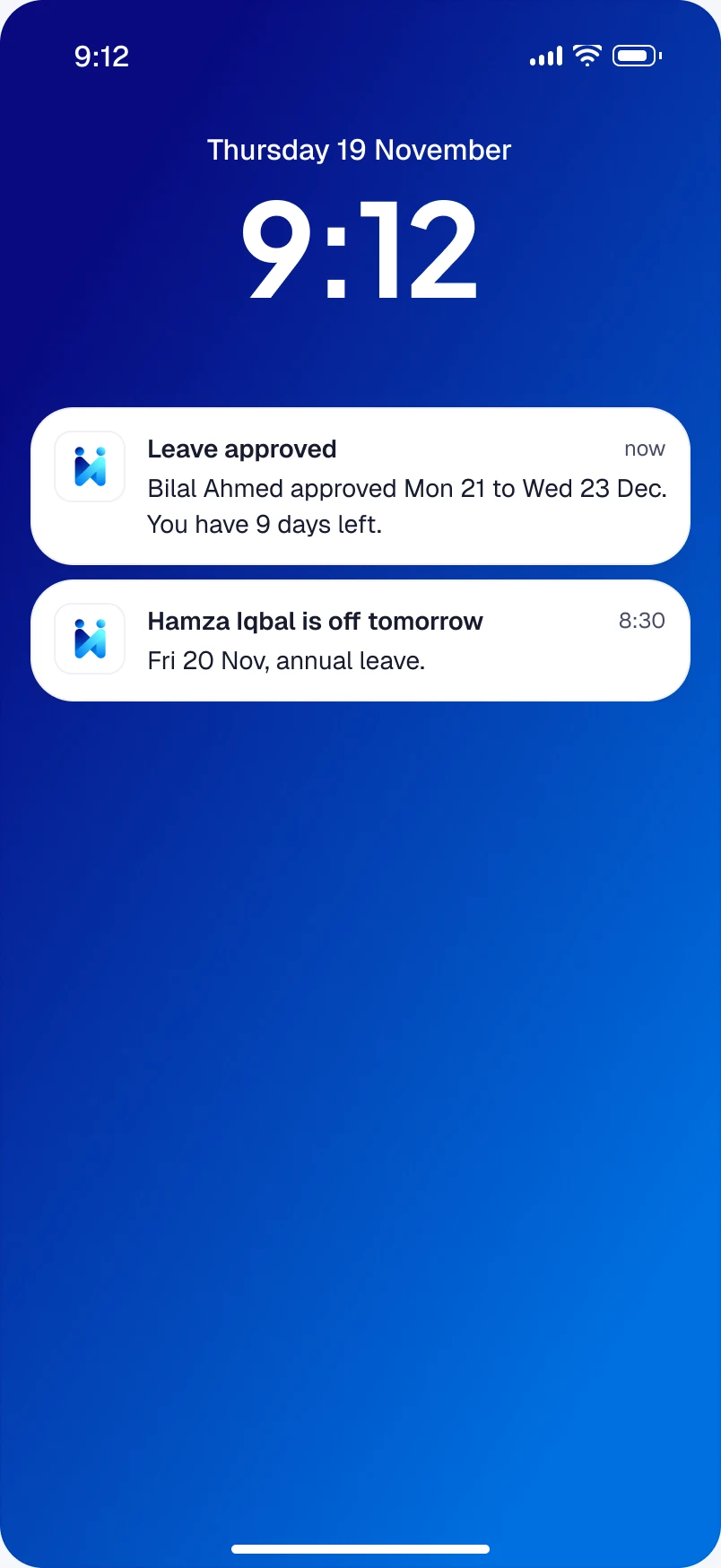
Lock screen the next morning: Bilal approved her annual leave, with her new balance.
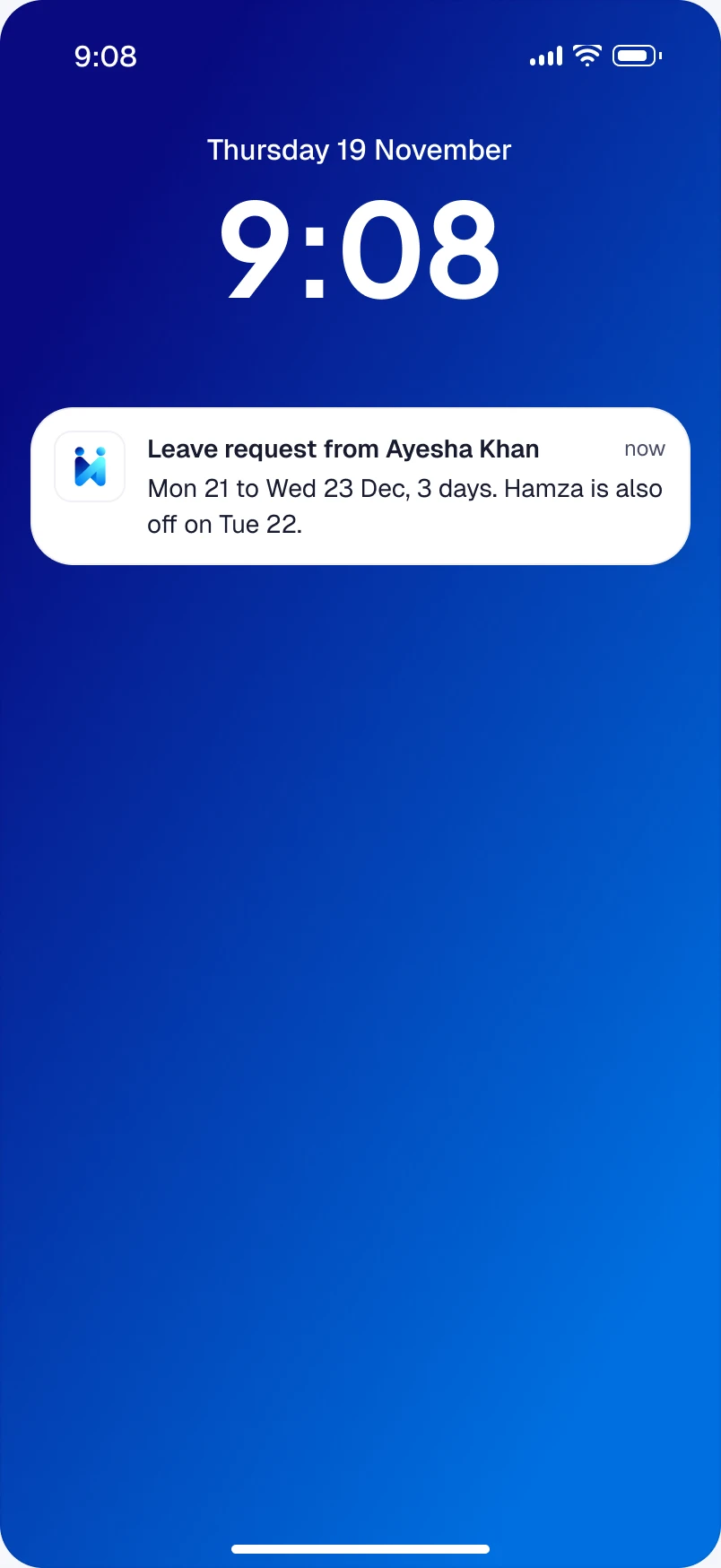
Bilal’s lock screen with Ayesha’s leave request: how many days and whether anyone else is off.
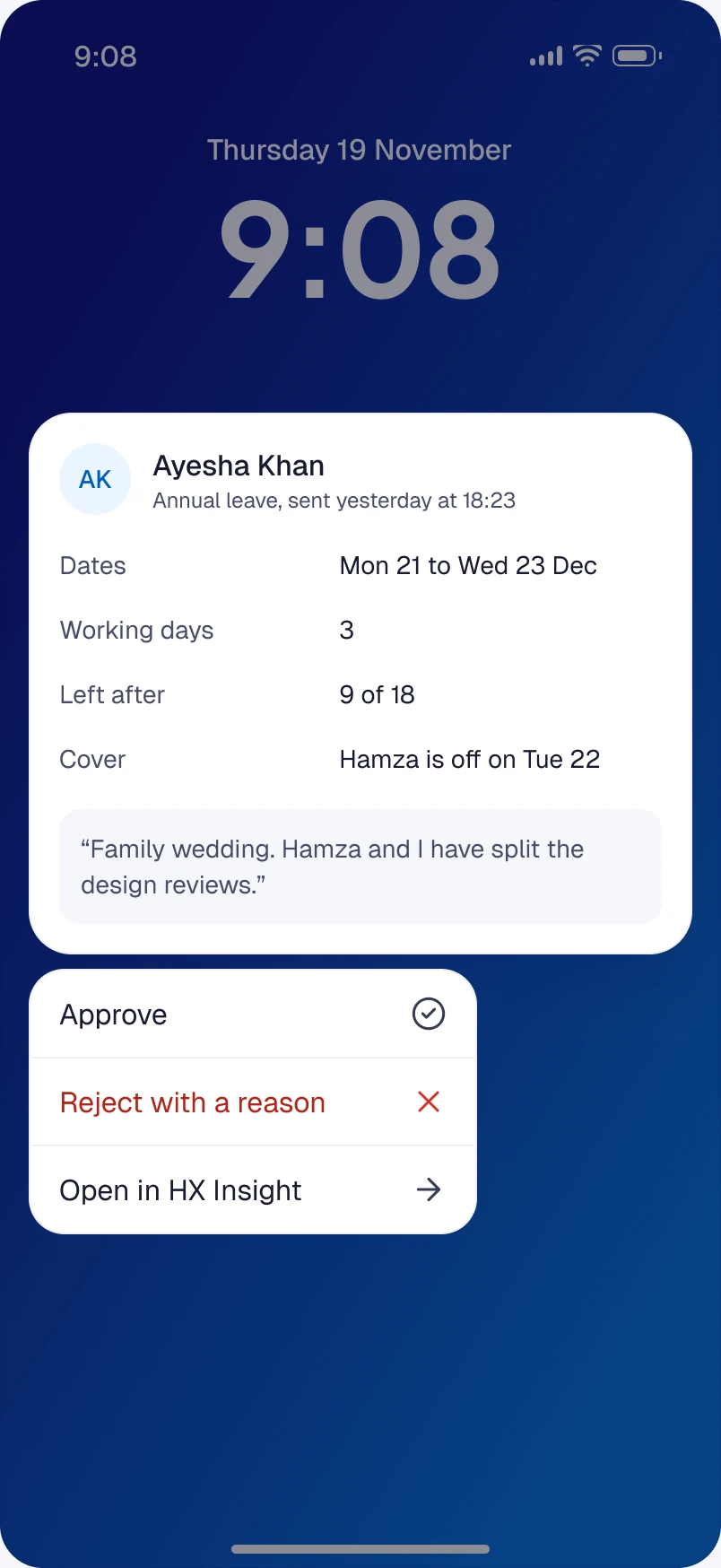
The expanded notification with the facts behind the request and Approve and Reject buttons.
The request opened in the app: the facts and the day-by-day cover, with Approve and Reject fixed within thumb reach.
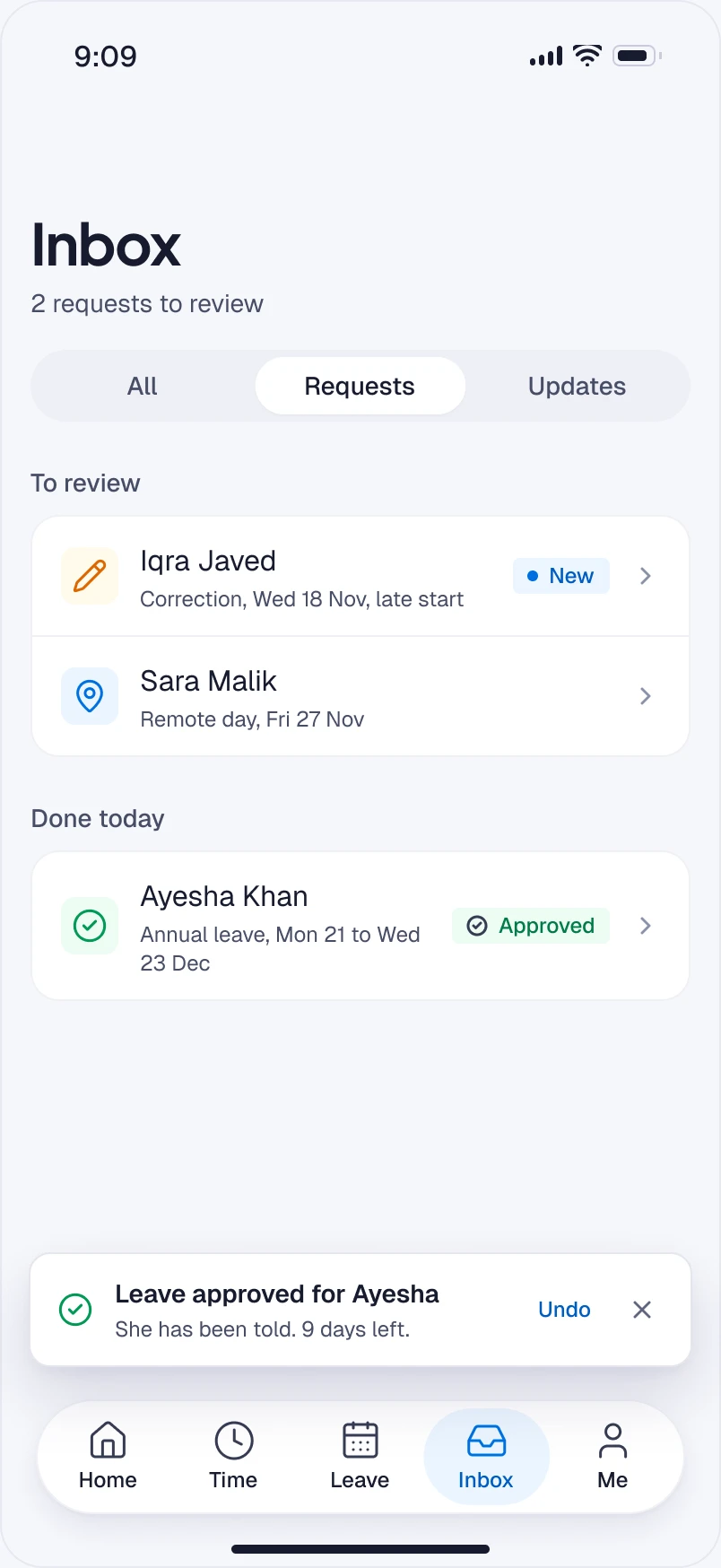
Bilal’s inbox with the request moved to Done and a few seconds to undo.
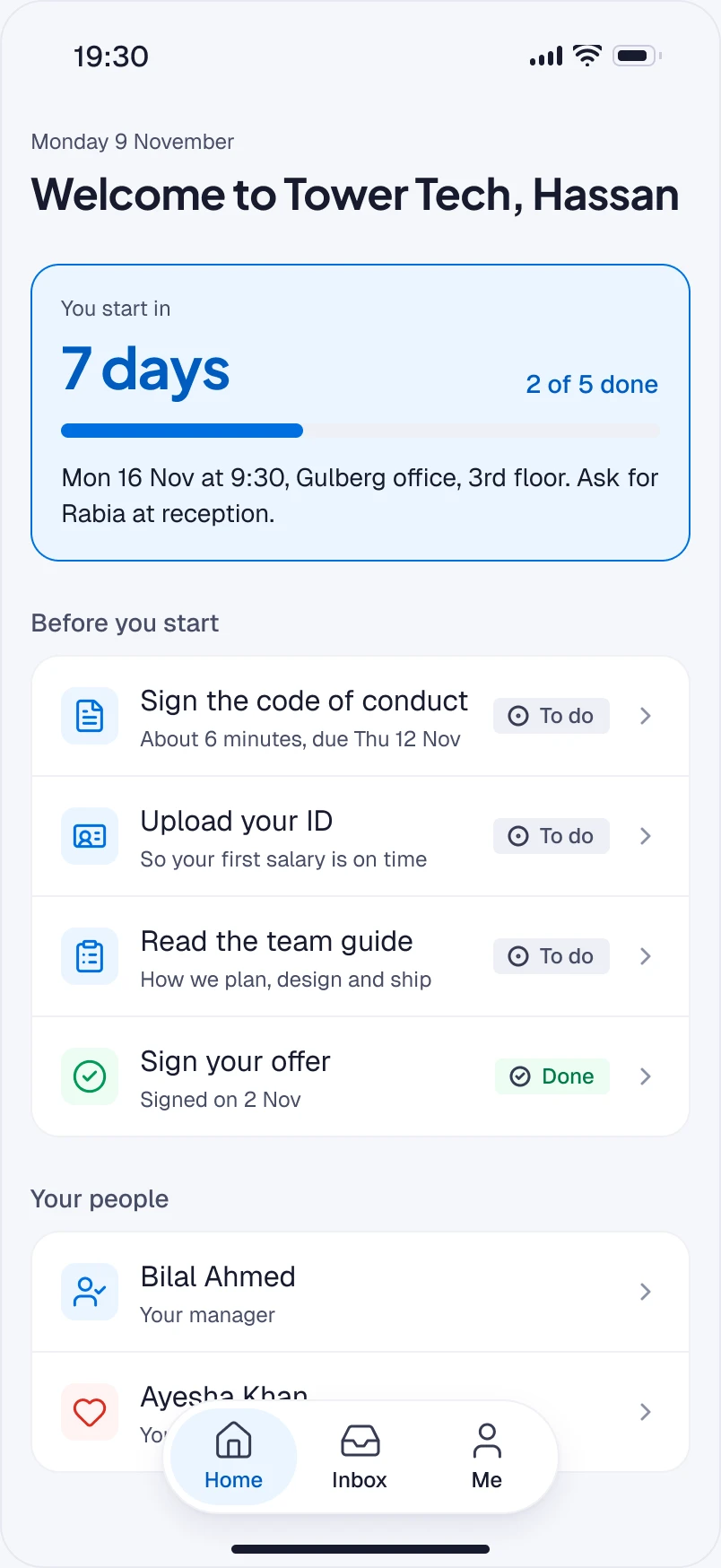
Hassan’s Home a week before he starts: a countdown to his first morning, the few tasks that are his, and the three people who will look after him.
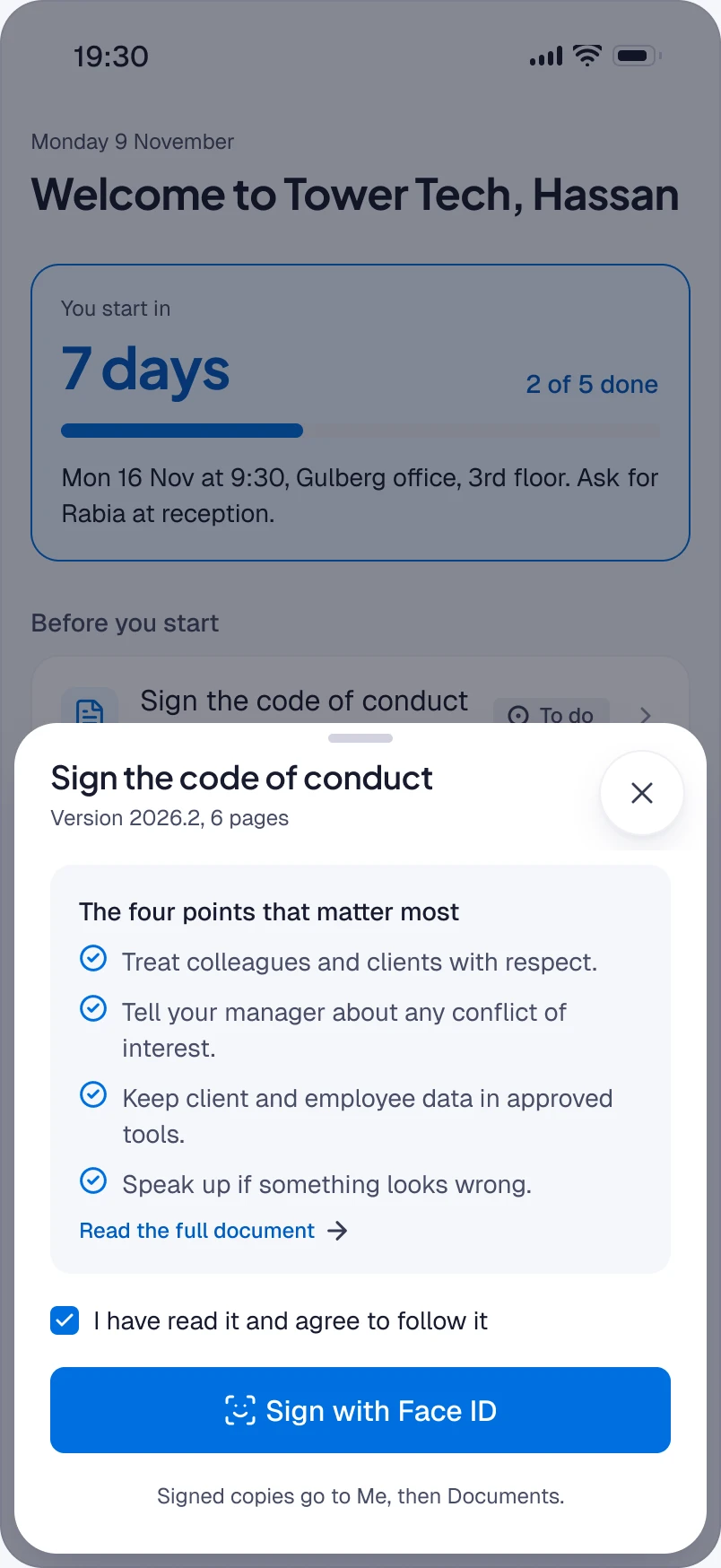
The code of conduct sheet: the four points that matter most, a link to the full text, and Sign with Face ID.
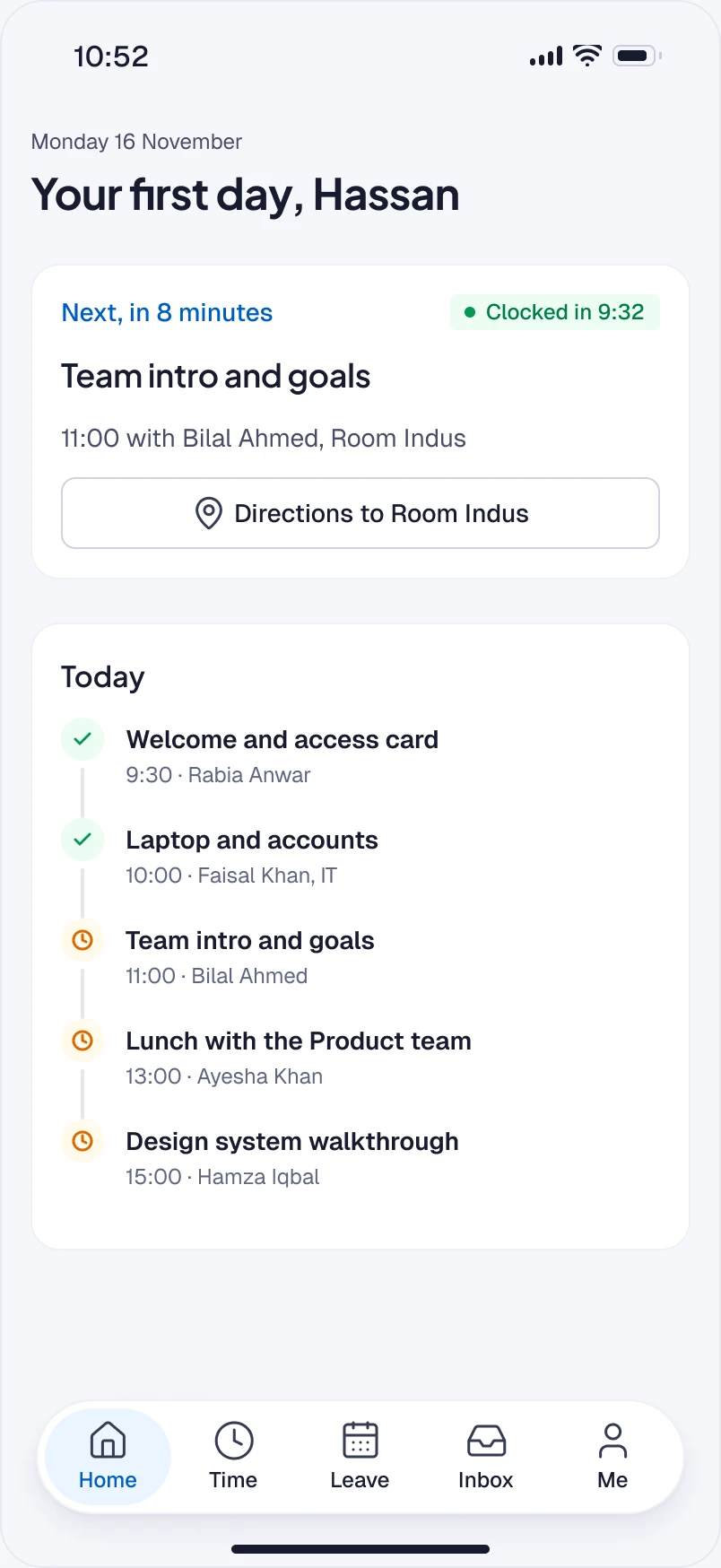
Home on his first Monday: where he needs to be next and who he is meeting, already clocked in at reception.
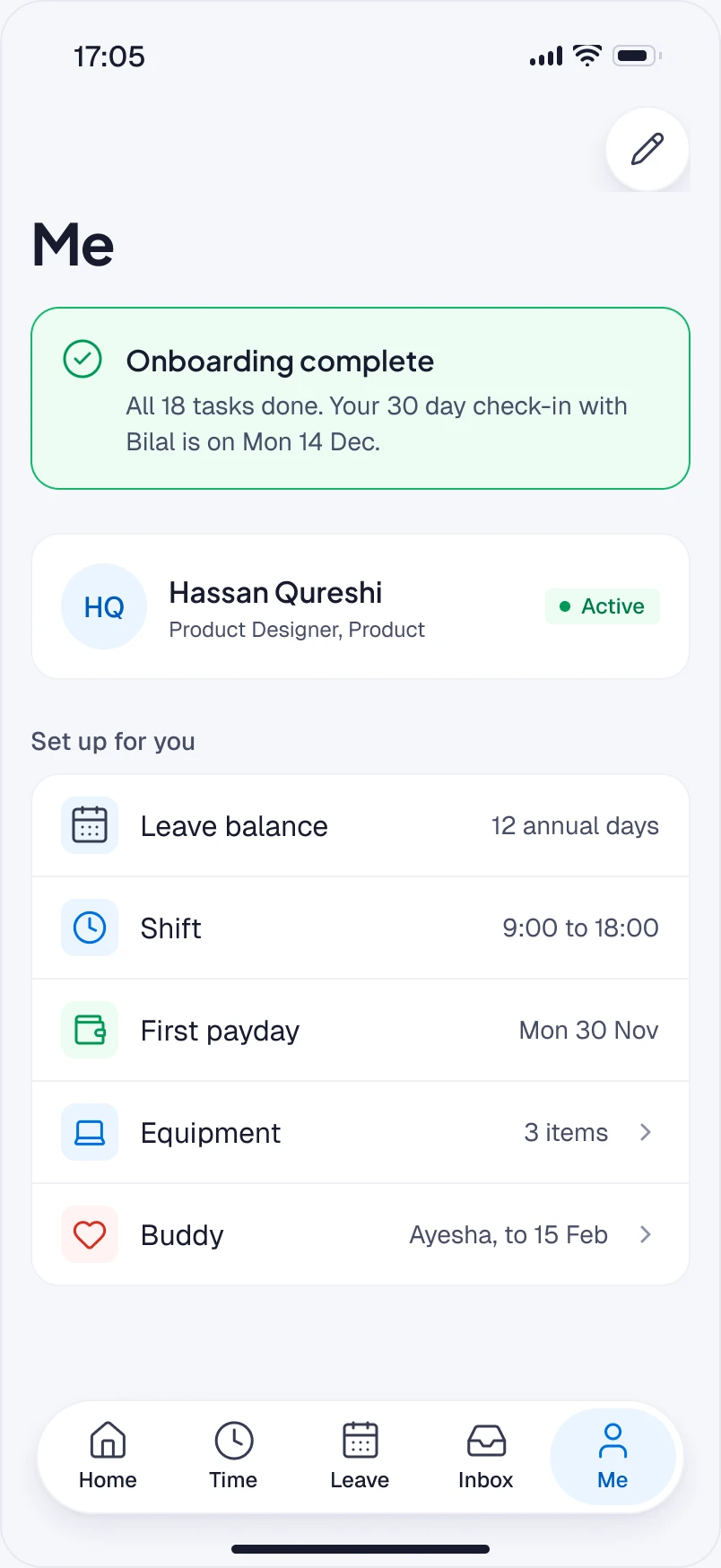
The Me tab by Friday: onboarding complete, with his leave balance, shift, first payday, equipment and buddy.

01 Clock in. Lock screen prompt, Live Activity, a missed punch flagged, fixed in a sheet and sent as pending.

02 Apply for leave. A sheet over the balance, working days counted, who else in Product is off, then sent and shown as pending.

03 Approve. The request on Bilal’s lock screen, decided from the notification or opened in full, then done with a way to undo.

04 First week. A countdown to day one, a task signed with Face ID, a first morning of people, and a profile that is ready.

Building B2B SaaS with complex workflows or AI features?

Send me the screen, or the idea. I’ll reply with what I’d do first.

Get in touch

Next case study The instructors put the paper down Field tablet app