
HX Insight · Punjab Group of Companies · Shipped June 2024
HX Insight is the HR system for Punjab Group of Companies: 8,700 people in 32 subsidiaries. I led the redesign of four everyday flows, leave, project resourcing, onboarding and attendance, so requests go through one place, decisions come with the facts, and HR, payroll and finance get the record without retyping it.
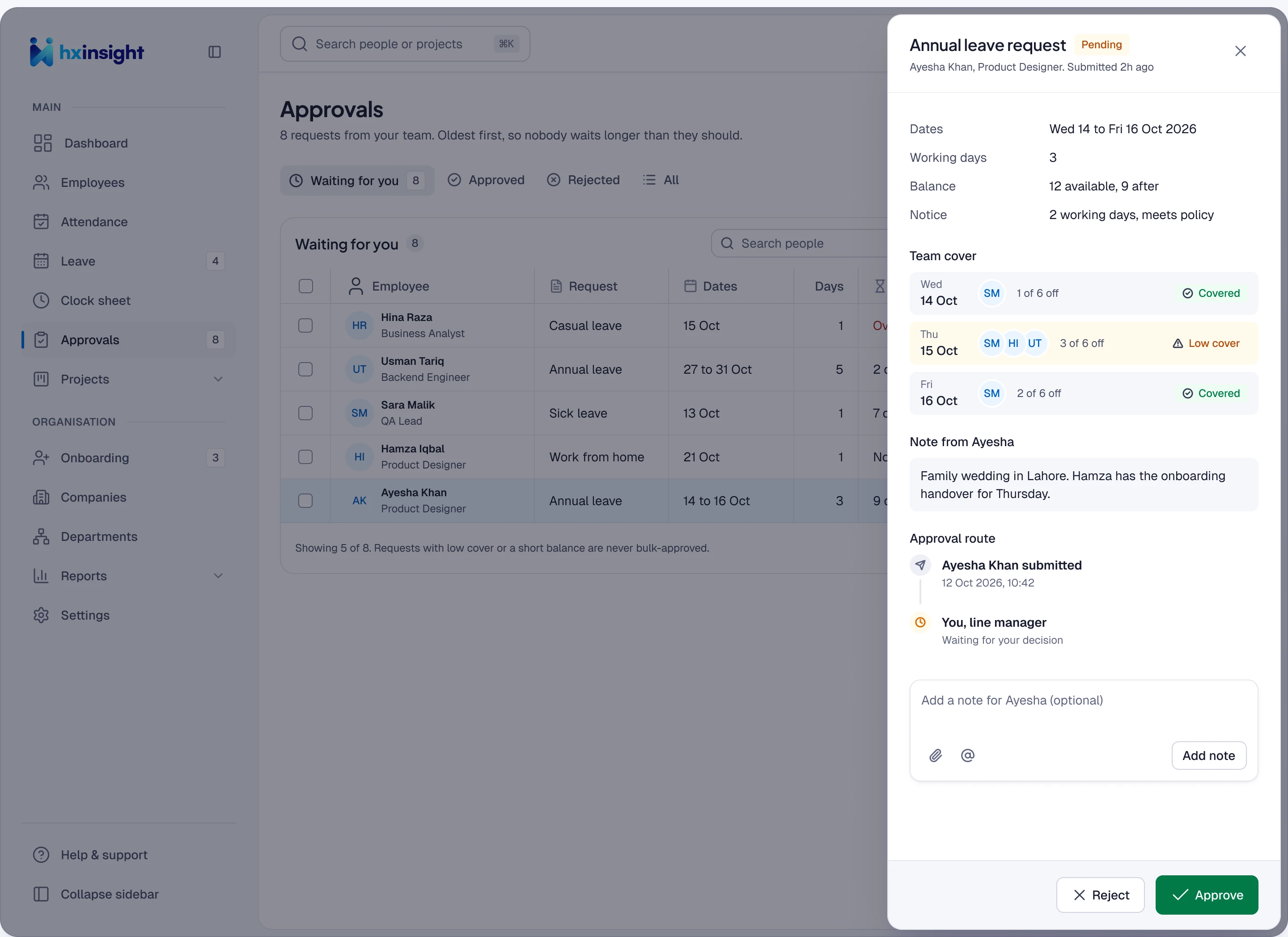
Approvals · A leave request, with balance, cover and her note in one drawer
Problem
HR ran on email, chat and 32 spreadsheets. Leave went by email with HR in copy, and punch exports were retyped for payroll every month.
My role
Lead designer and part-time frontend developer, with the dev team and HQ HR. Six months, shipped June 2024, research with 50 people across subsidiaries.
What changed
Four everyday flows — leave, resourcing, onboarding and attendance — each sending only the exceptions to HR.
Result
Shipped and used daily. A leave decision takes about four hours, where it was about three days.
Faster decisions, and no more spreadsheets
4 h
Leave decision time
Was about 3 days
1 day
To staff an open role
Was about a week of chat
9 in 10
New hires set up on day one
Was about 4 in 10
32 → 0
Sheets retyped for payroll
Leave and timesheets go direct
01The problem
HR ran on email, chat and 32 spreadsheets
Across 32 subsidiaries, everyday HR work ran on email, chat and Excel. Every request needed a chaser, every decision was typed in twice, and payroll and finance worked from data that was already out of date.
Leave went by email with HR in copy. Staff were requested by name over chat. New-hire checklists sat with HR, IT and managers separately. Punch exports were retyped for payroll every month.
02Leave requests
Ayesha asks for three days off, and has her answer by lunch
Before, this was an email, two reminders and a sheet. Now Ayesha sees her balance and team cover before she asks, and Bilal decides with everything in one drawer.
-
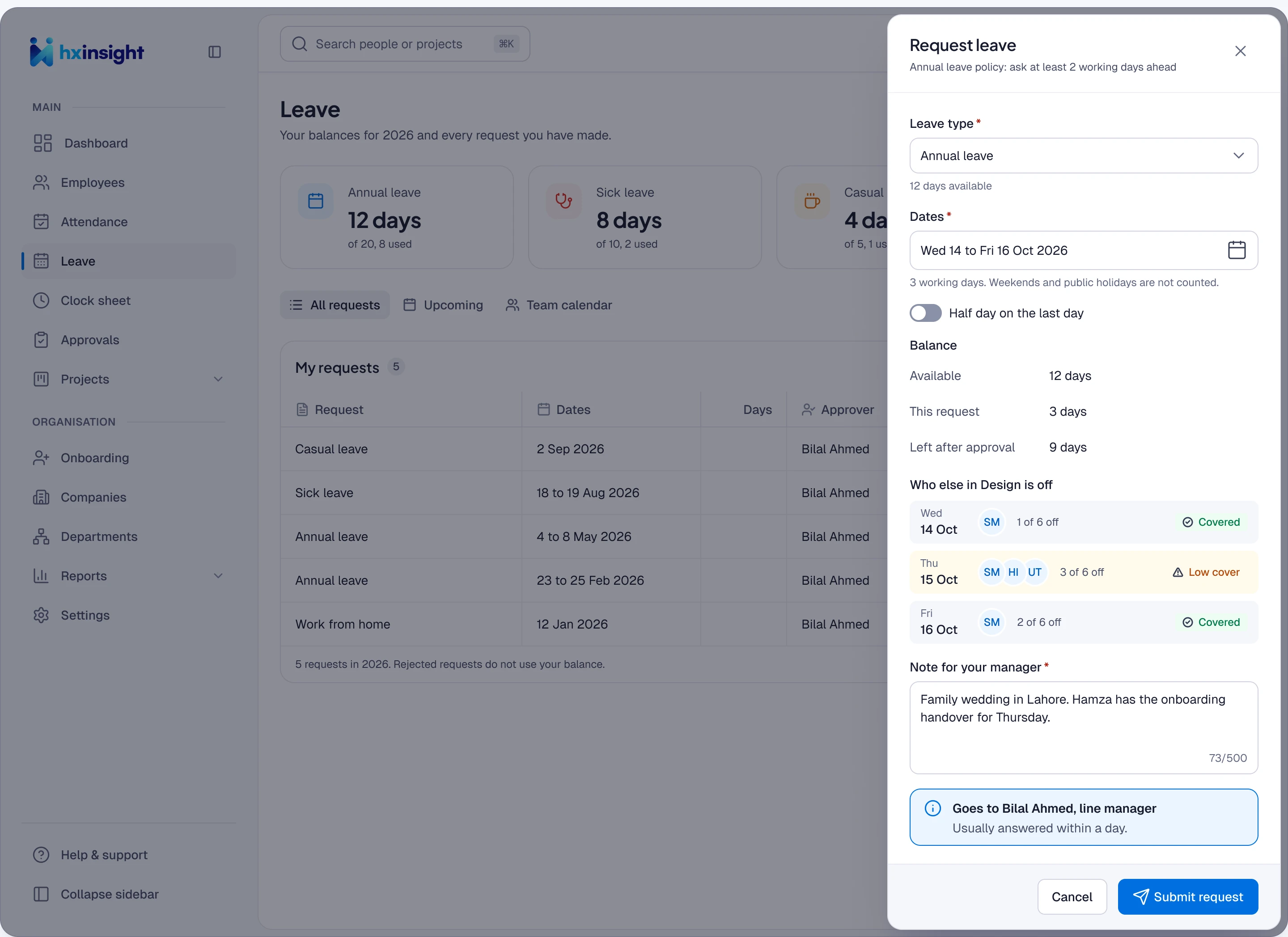
09:12 · Ayesha asks
Working days are counted, nine left after, and a thin Thursday is flagged before she sends.
-
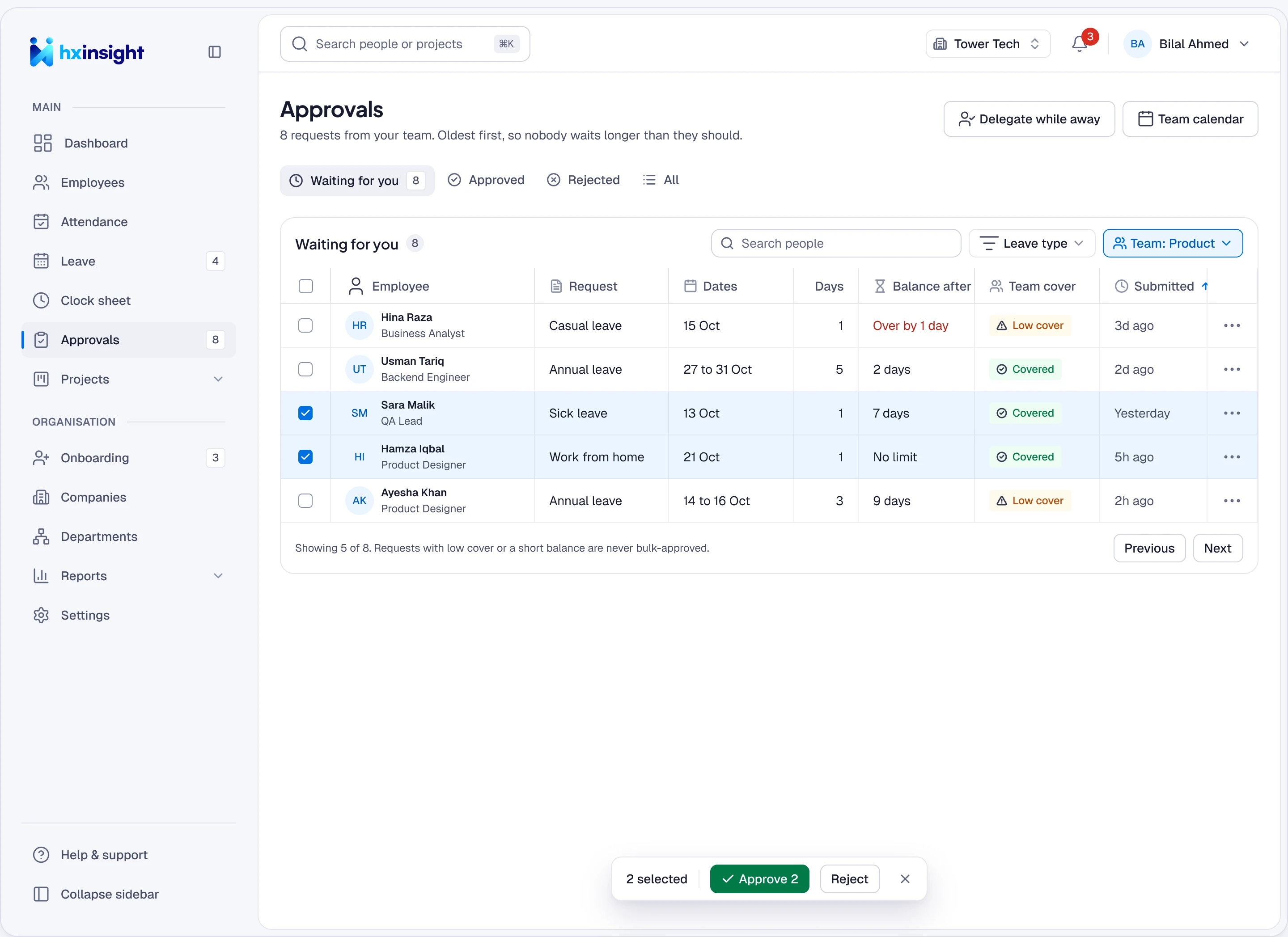
11:40 · Bilal’s inbox
Oldest first, with balance and cover on every row, so the easy ones go in bulk.
-
11:42 · Bilal decides
Dates, cover and her note in one drawer. Approve is one click; a no needs a reason.
-
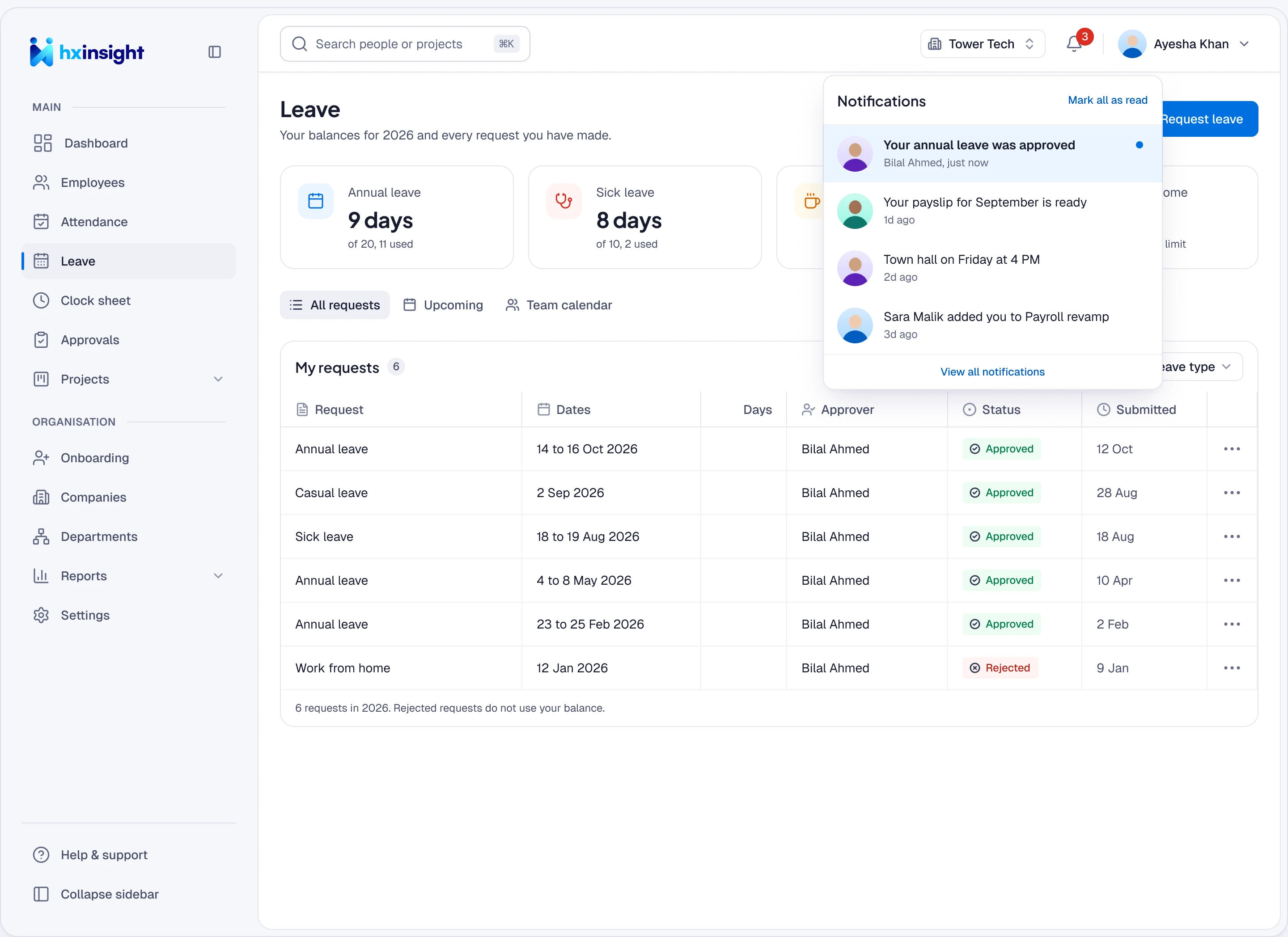
11:42 · Ayesha knows
Approved at once. HR and finance already have the record.
03Project resourcing
Mariam needs an engineer, and gets one the same day
Staff used to be requested by name over chat, so the same few people got overbooked. Now Mariam asks for a role, and Omar picks by skills, then by free time.
-
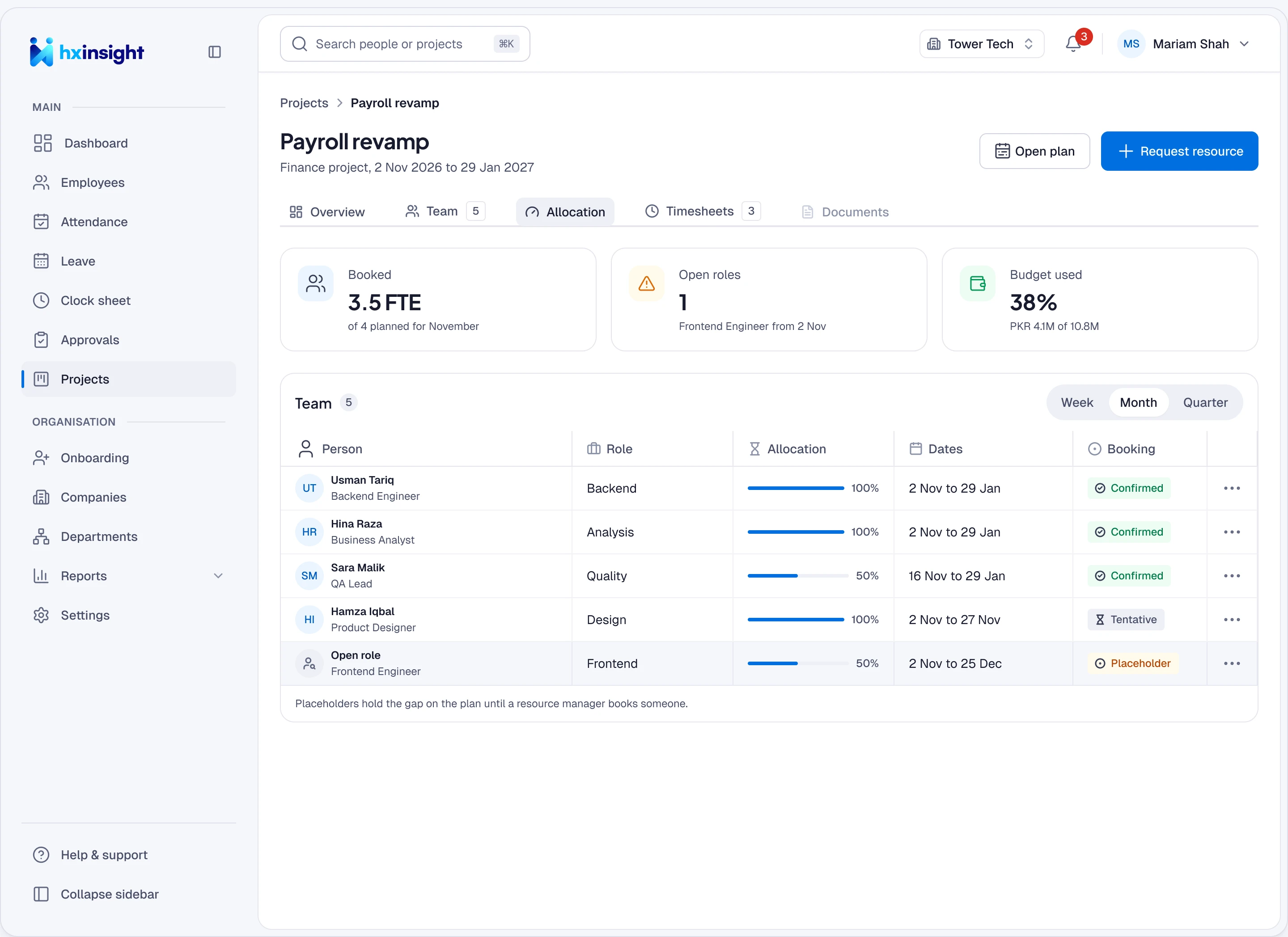
Mariam spots the gap
An open role sits in the team table, right where a person should be.
-
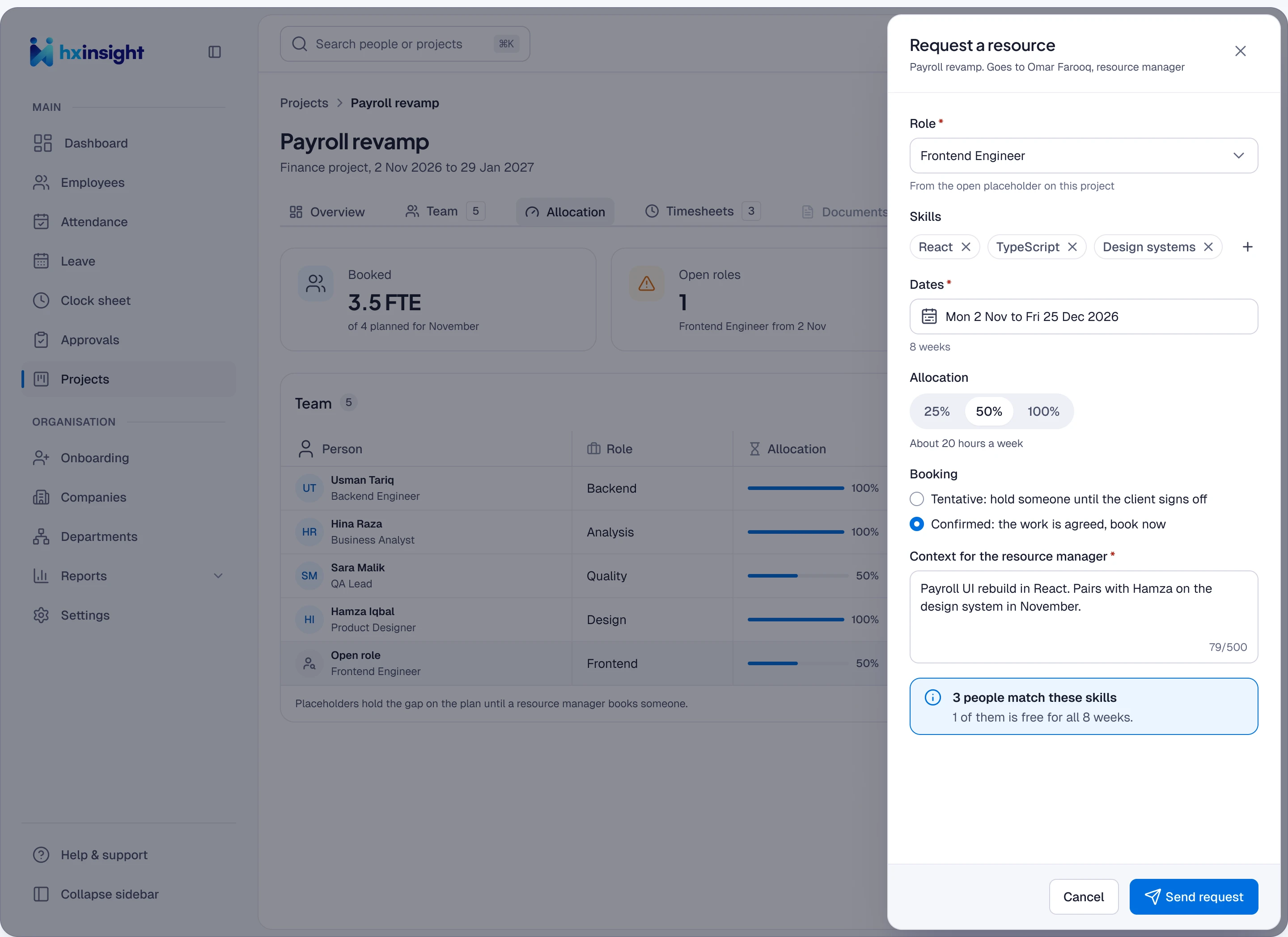
She asks for a role, not a name
Skills, dates and load, with a live count of how many people match.
-
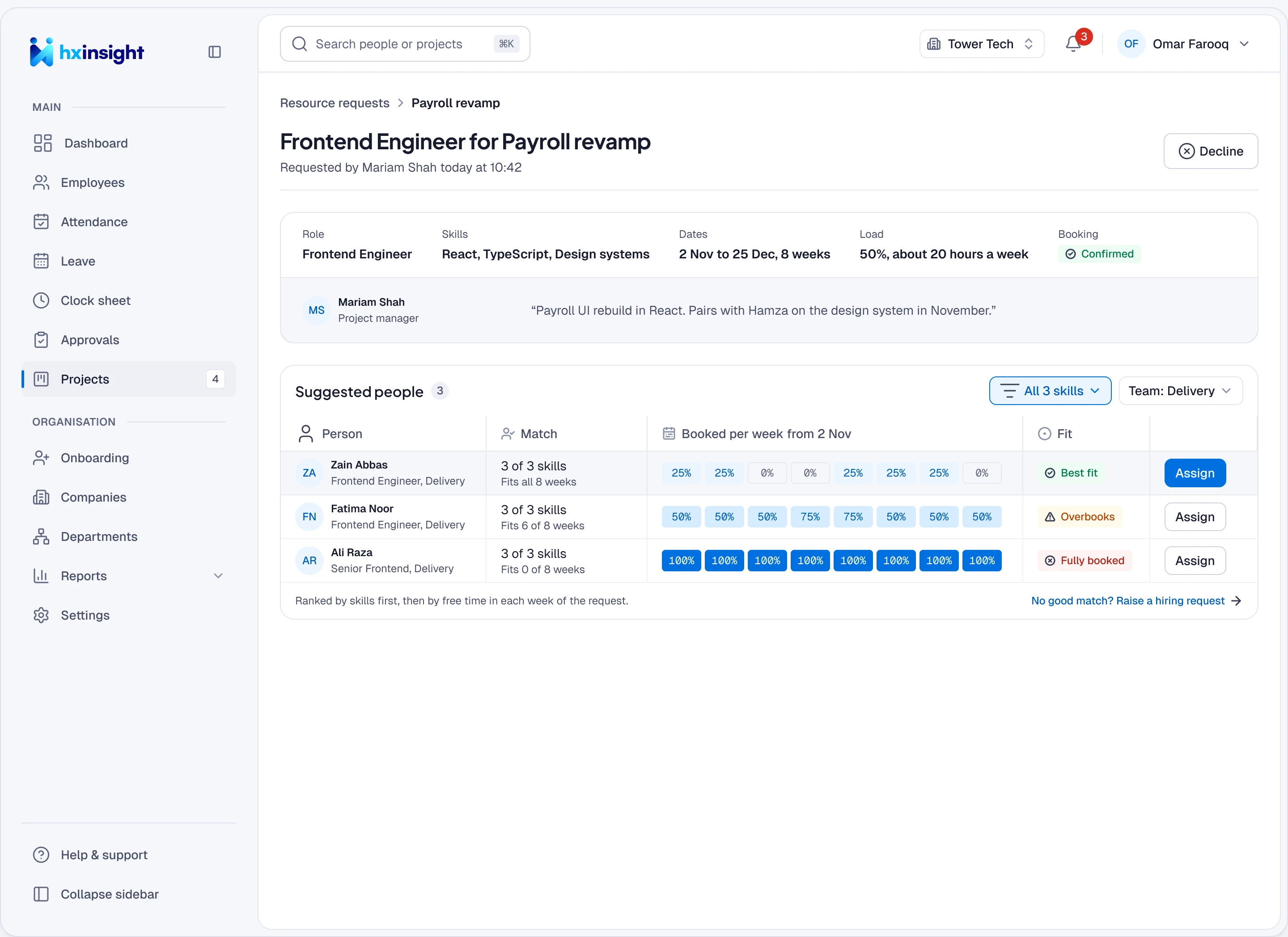
Omar finds the best fit
People ranked by skill match first, then by their free weeks.
-
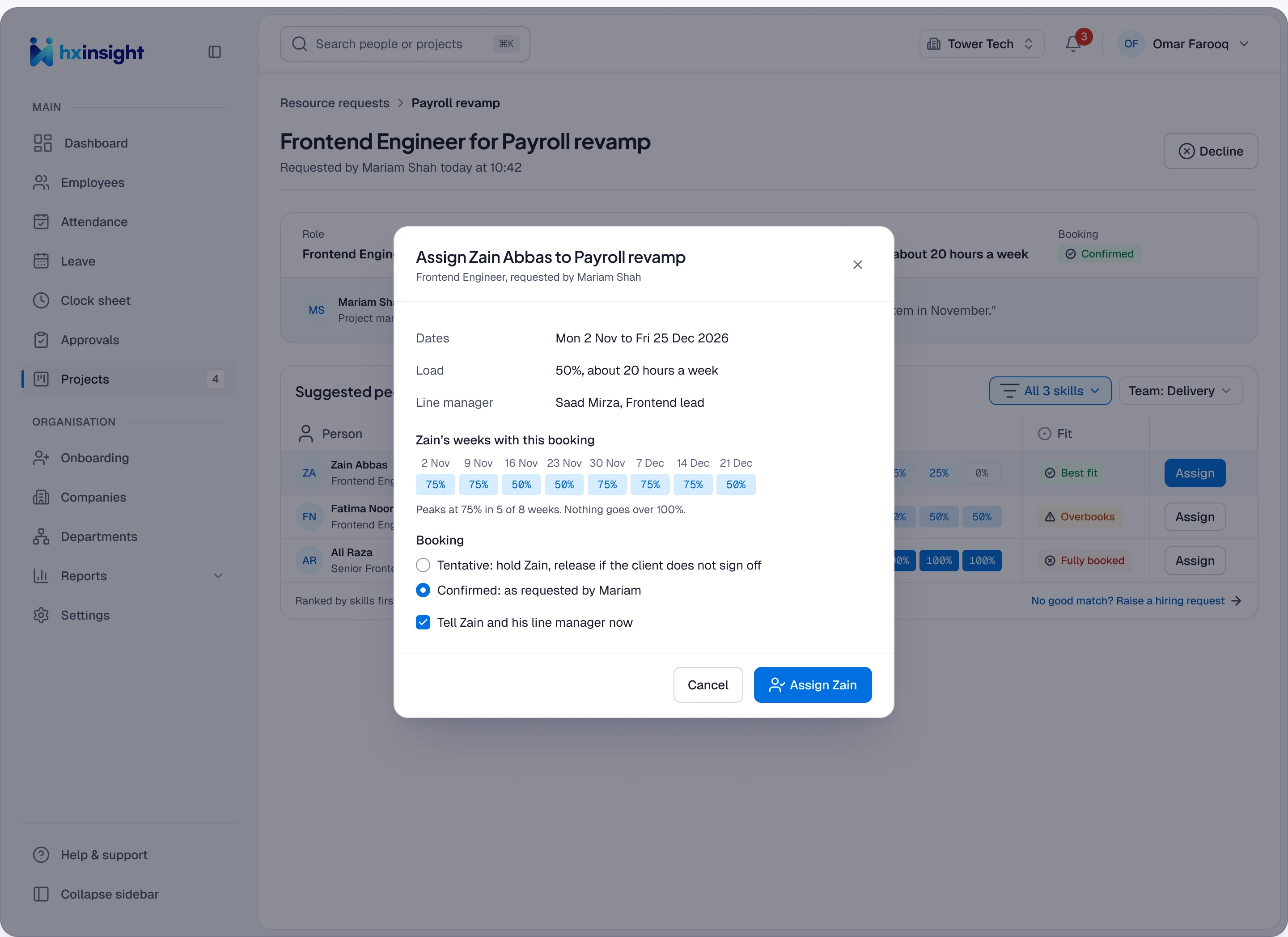
He checks the load, then books
Zain’s weeks after the booking, tentative or confirmed, before anyone is told.
04Onboarding
Hassan signs his offer, and is ready before his first day
Checklists used to sit with HR, IT and managers separately, and new hires waited for laptops. Now one plan starts from the signed offer, and every owner gets their part.
-
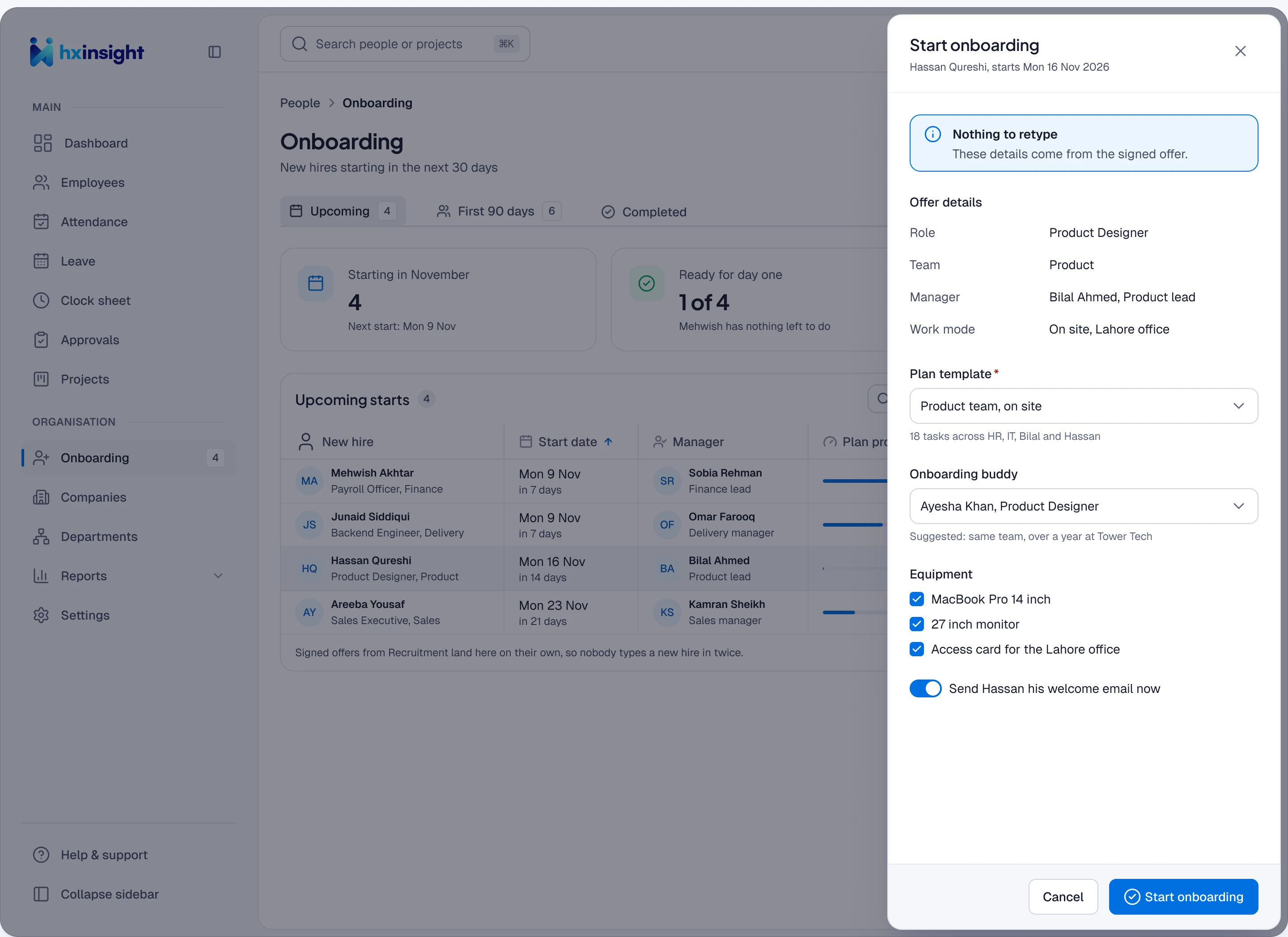
Rabia starts from the offer
Role, team, manager and start date come straight from the offer. A buddy is suggested.
-
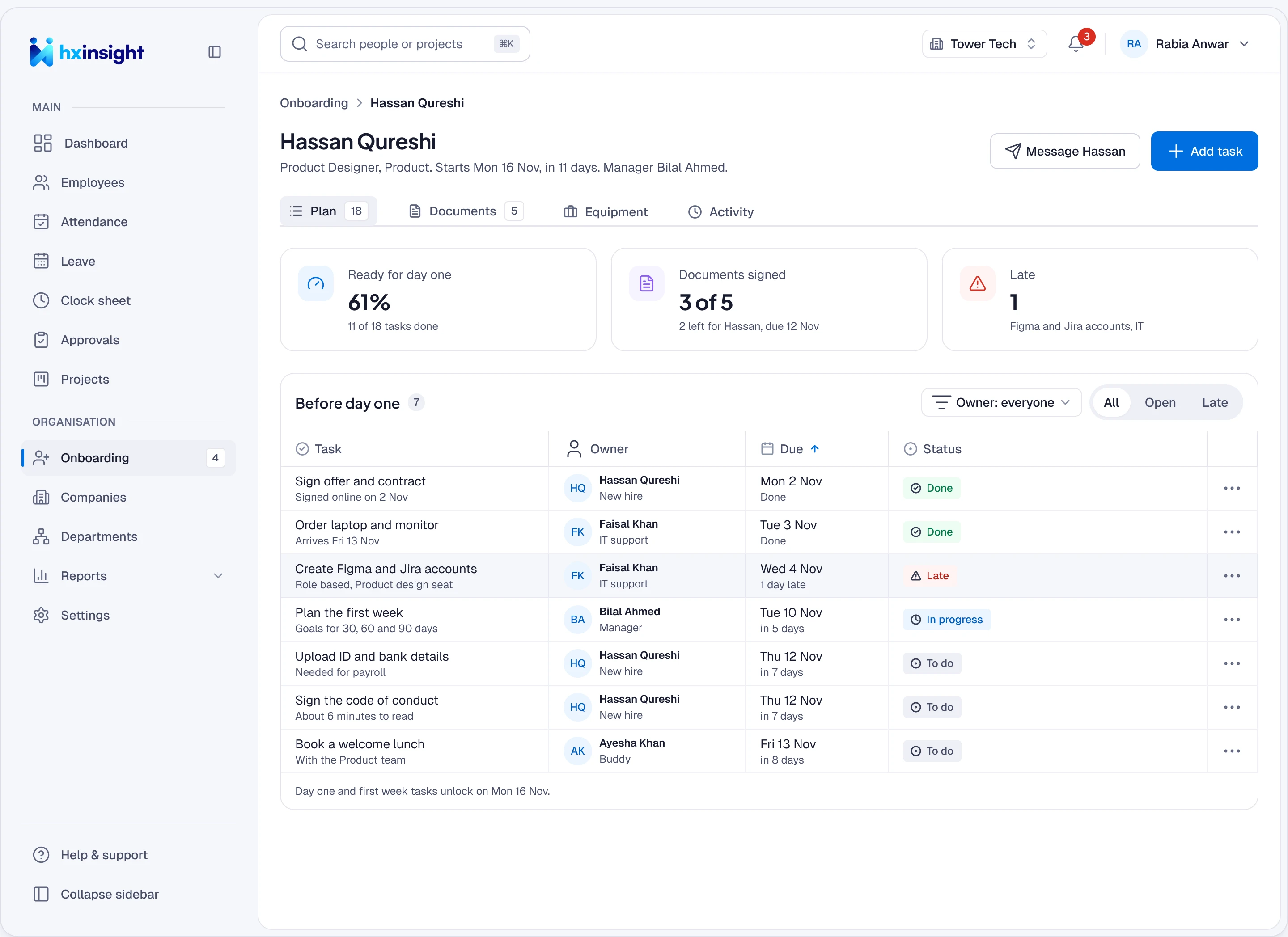
One plan, every owner
HR, IT, manager and buddy tasks with due dates, and a readiness score.
-
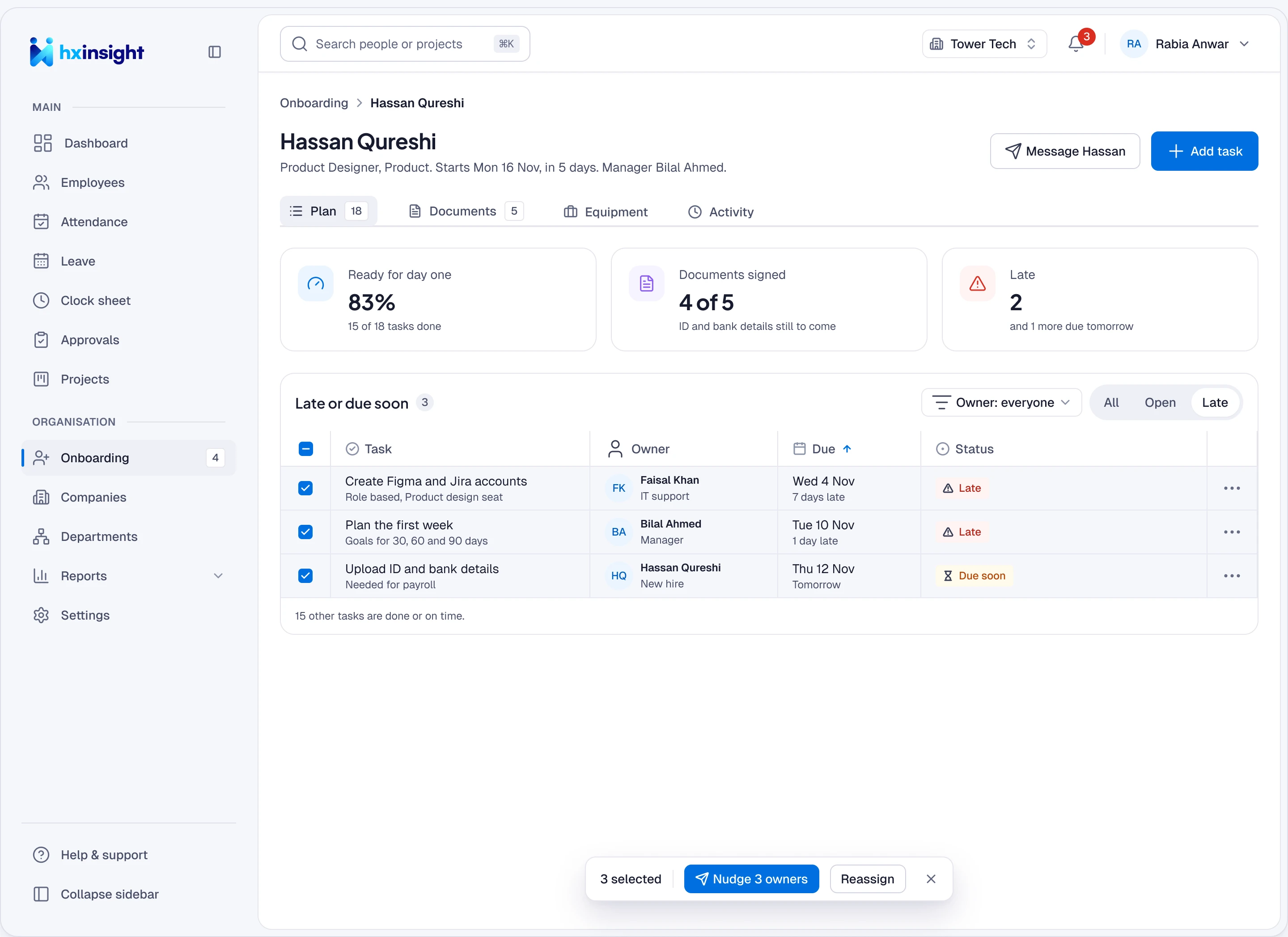
Chase only what’s late
One filter, and one bulk nudge to every owner who is behind.
-
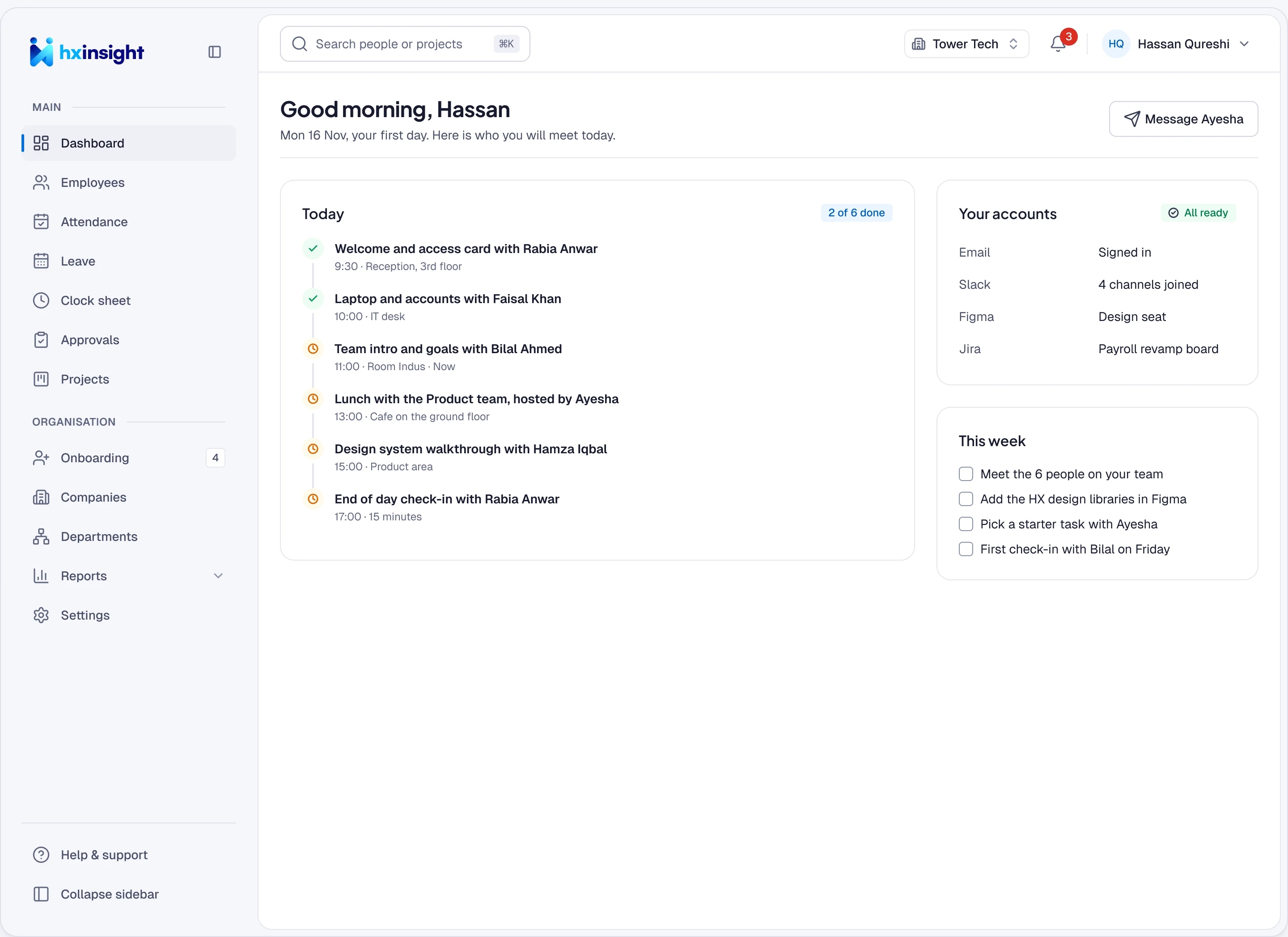
Hassan’s day one
A schedule of people to meet, accounts ready and a first-week list.
05Attendance
Ayesha forgets to clock out, and payroll never notices
Punch records used to be retyped for payroll, and missed punches were fixed by email. Now the clock catches the miss, Ayesha fixes it with a request, and Bilal reviews only the exceptions.
-
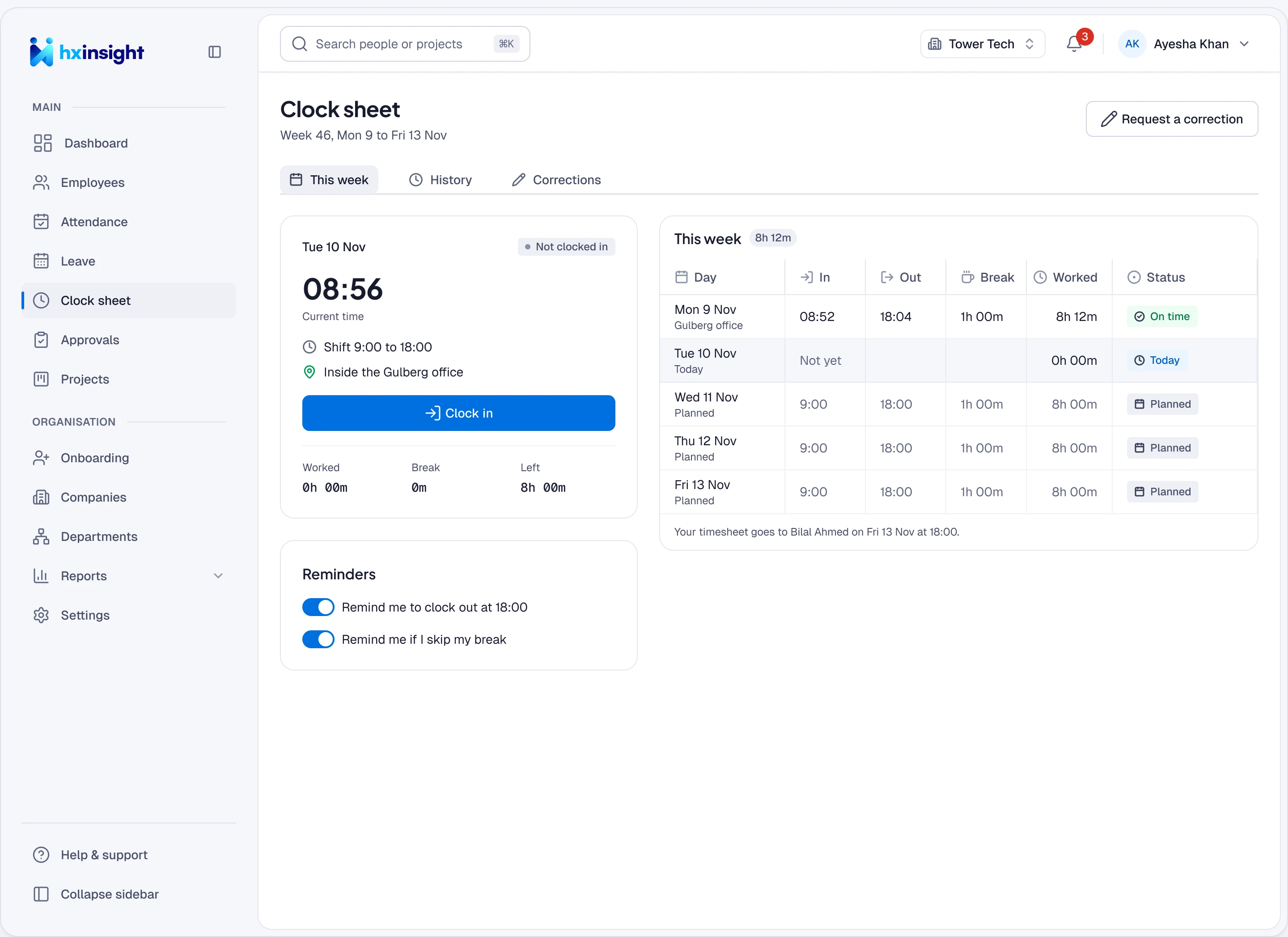
Ayesha clocks in
Her shift, the site and whether she is inside it, before one tap.
-
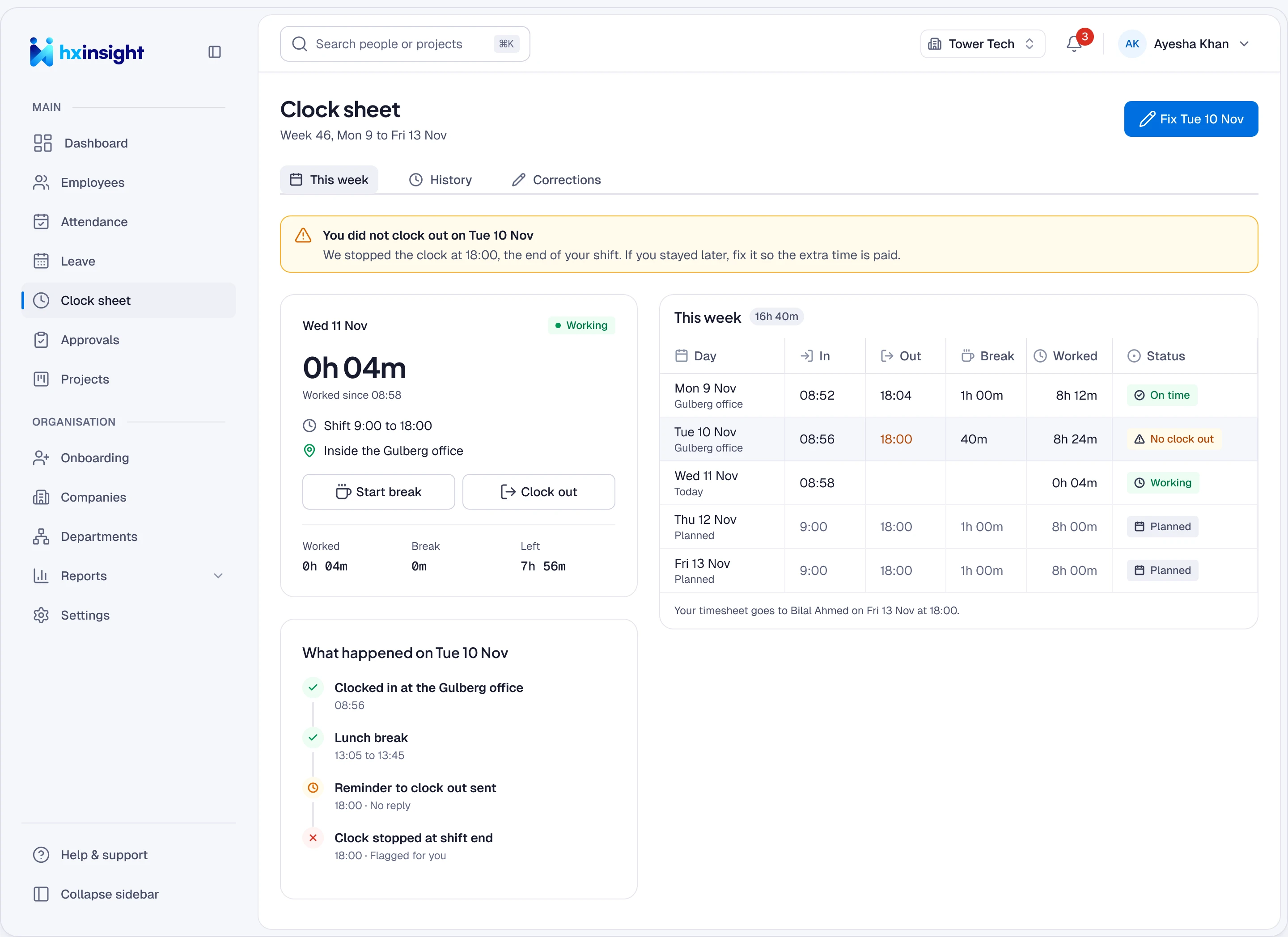
A missed clock-out, flagged
The clock stops at shift end and the day is flagged the next morning.
-
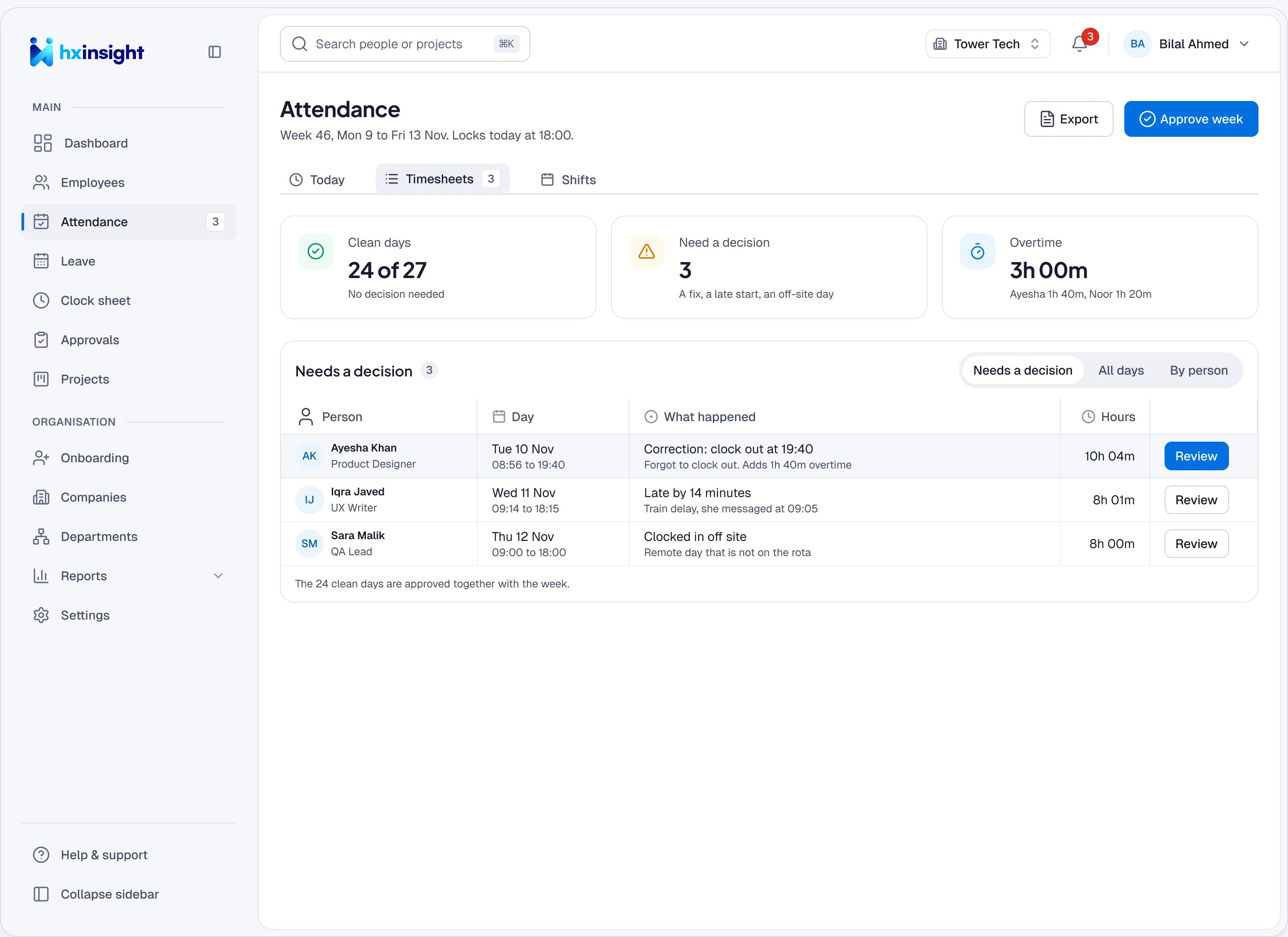
Bilal sees only exceptions
Problem days come first. Clean days approve with the week.
-
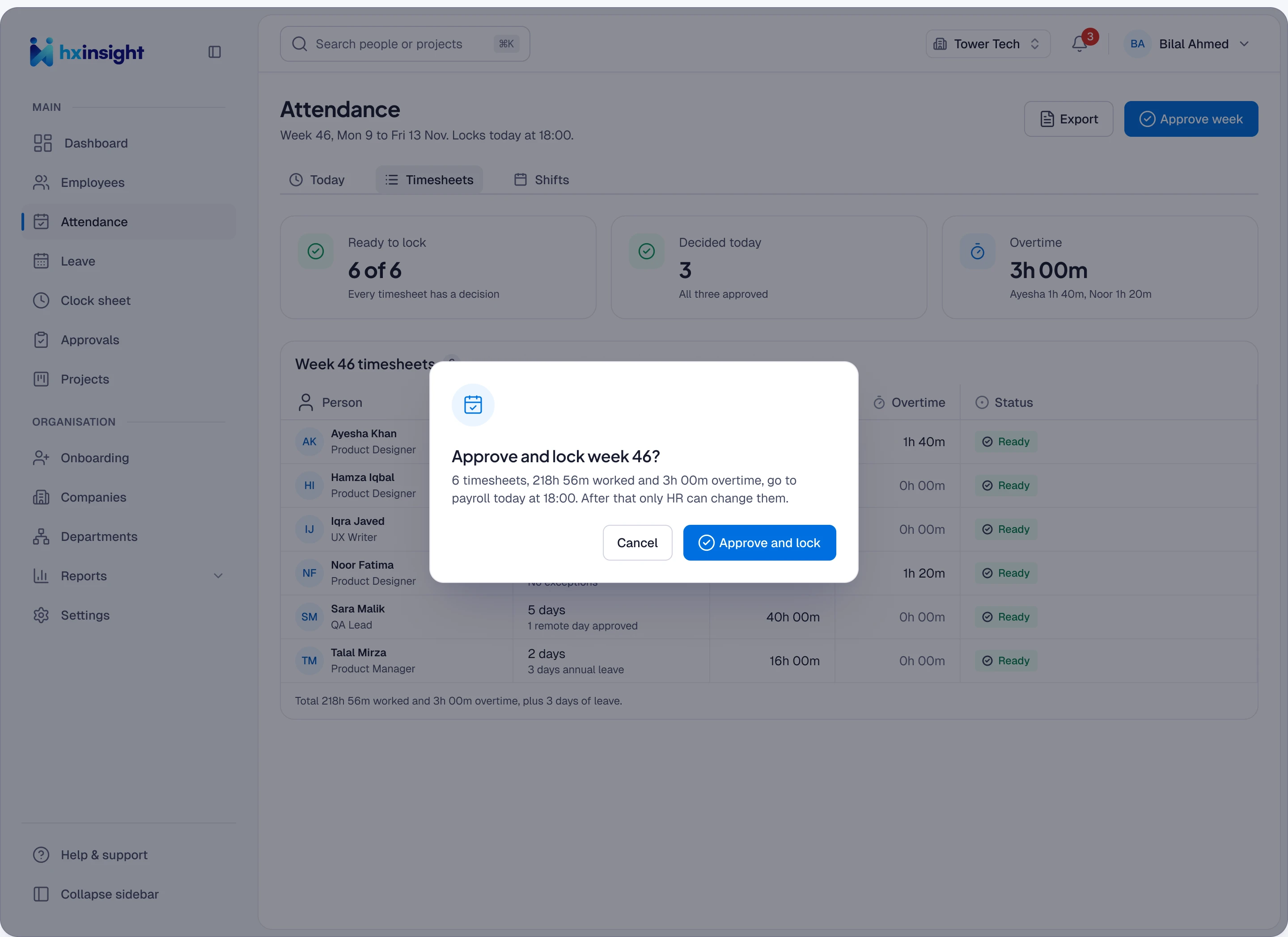
Approve, lock, pay
The week locks on the cut-off and goes to payroll with an audit trail.
06Constraints
What I was working within
| Constraint | What I did |
|---|---|
| Leaders cut the team halfway | Kept leading, ran tight sprints and wrote frontend part-time. Shipped in six months. |
| 32 subsidiaries, 32 ways of working | Agreed one set of rules with HQ HR, then tested it with 50 people. |
| Payroll and finance trusted only their sheets | Approved leave and locked weeks go to them directly, in the columns they already used. |
| Four flows, one design system | Few new components: a coverage row, a capacity strip and a clock card. |
| HR needed control without busywork | Every flow flags exceptions and sends only those to HR. |
Building B2B SaaS with complex workflows or AI features?
Send me the screen, or the idea. I’ll reply with what I’d do first.