
HX Insight · Desktop timer
A small desktop app for tracking time against projects. Start, switch, take a break, handle idle time and end the day. Every entry lands in the HX Insight clock sheet.
Problem
Time had to be tracked against projects without leaving the work, and every entry had to reach the clock sheet.
My role
Lead product designer. HX Timer for Desktop, Windows or Mac.
What changed
Start, switch, take a break, handle idle time and end the day, from one button that is always in reach.
Result
Desktop app for HX Insight. Every entry lands in the HX Insight clock sheet.
Zain’s day, first click to last
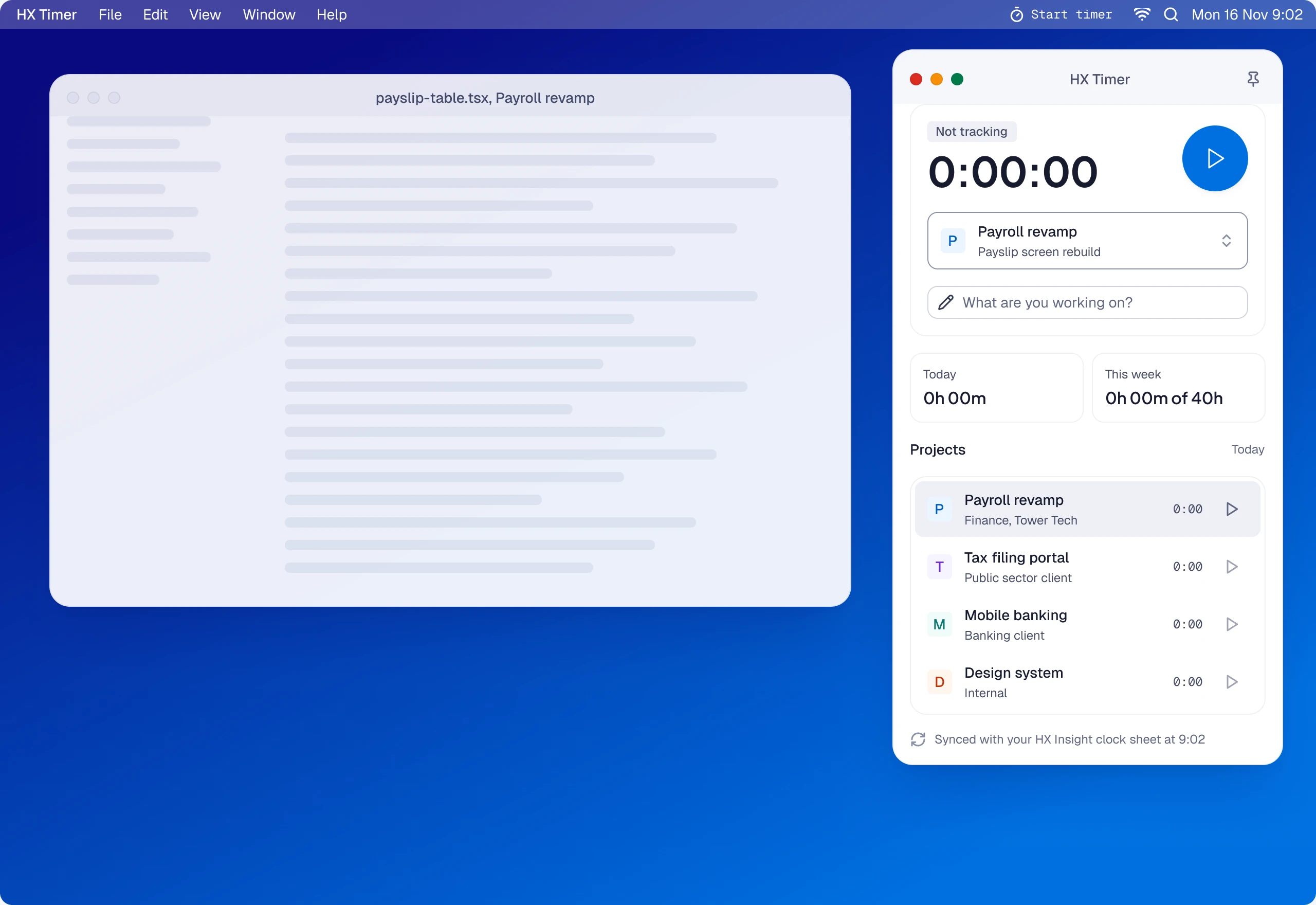
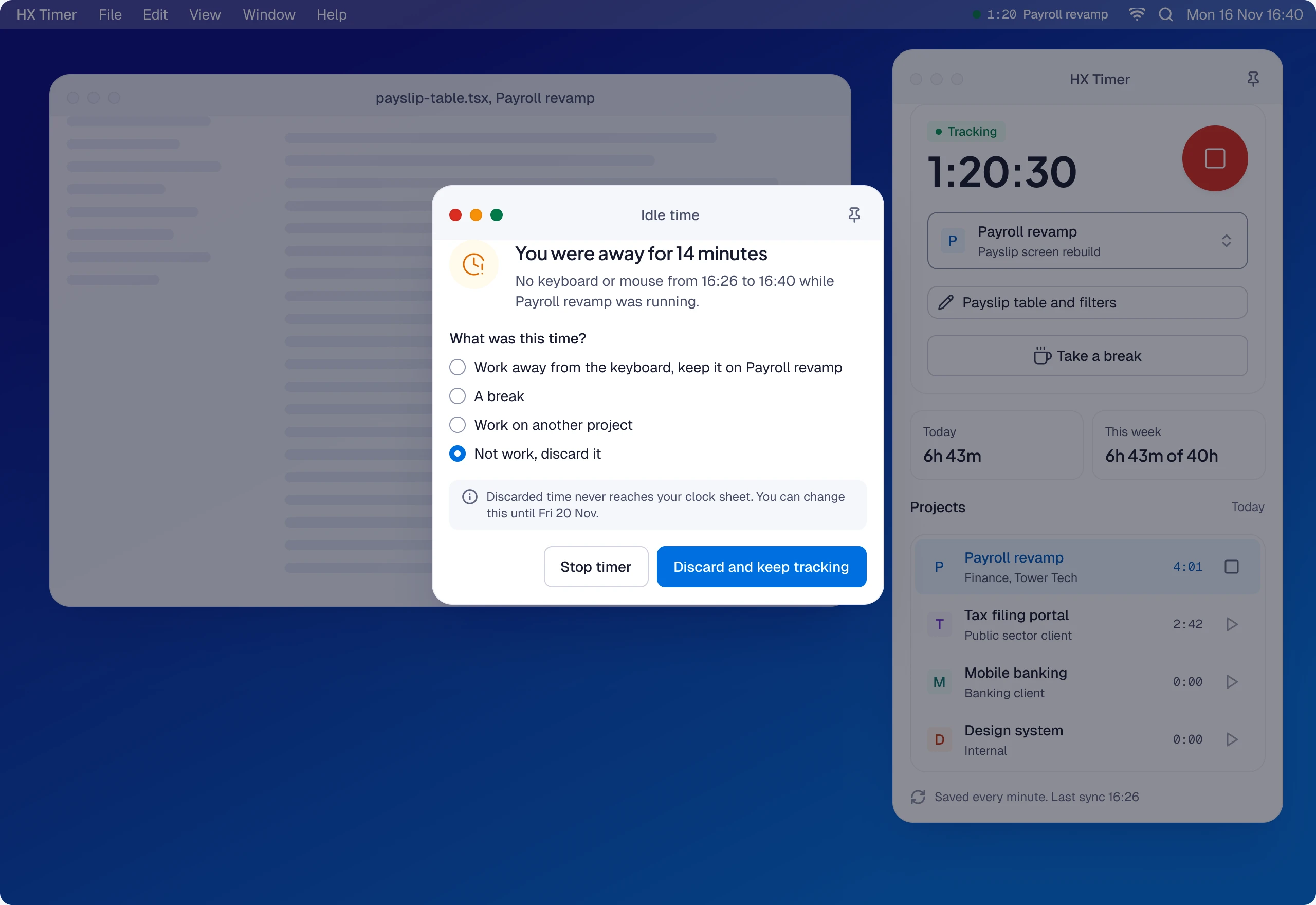
09:02 Ready. The window opens with yesterday’s project picked, so starting is one click.
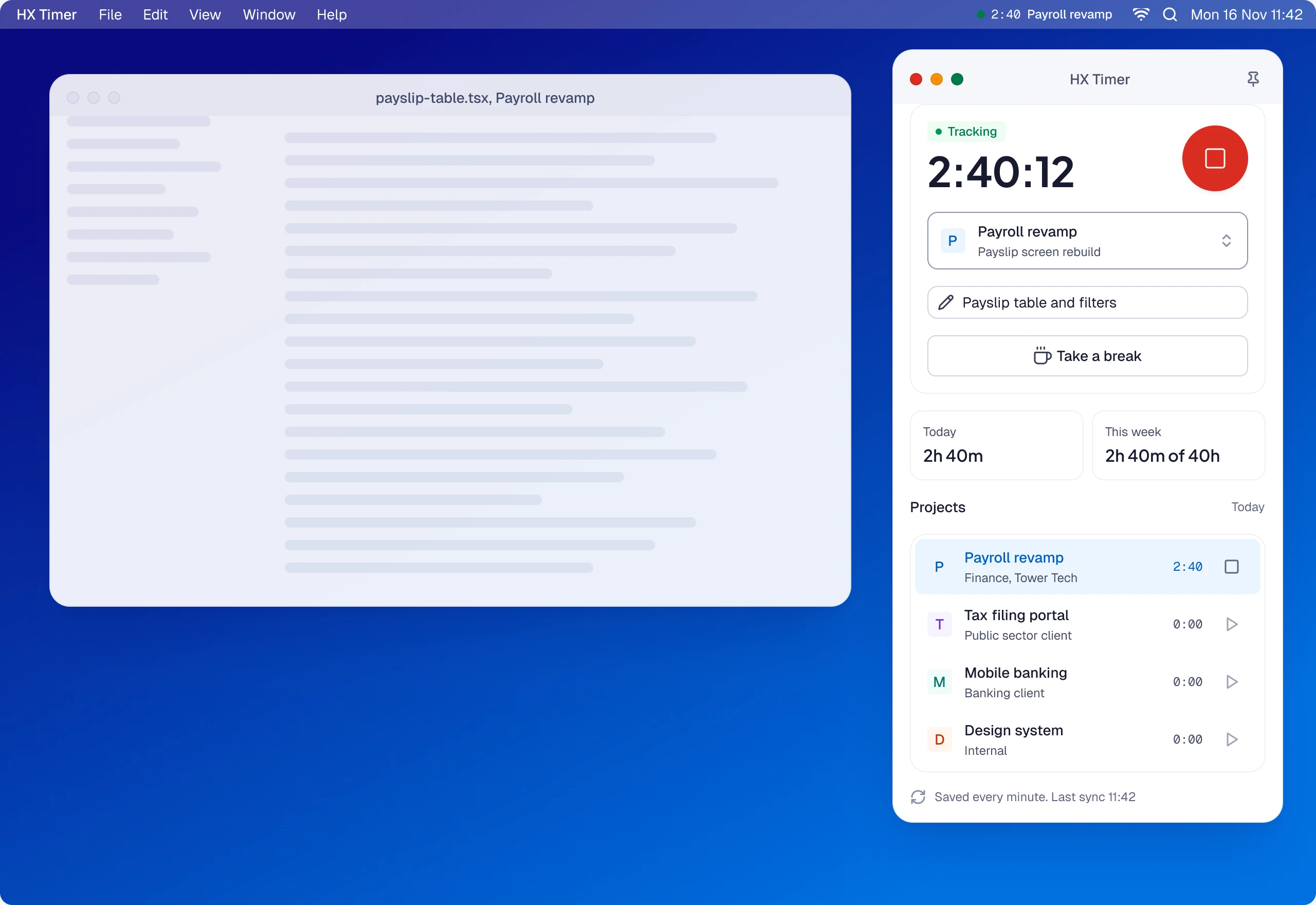
11:42 Tracking. The time runs in the window, in the project row and in the menu bar or system tray, with a break one button away.
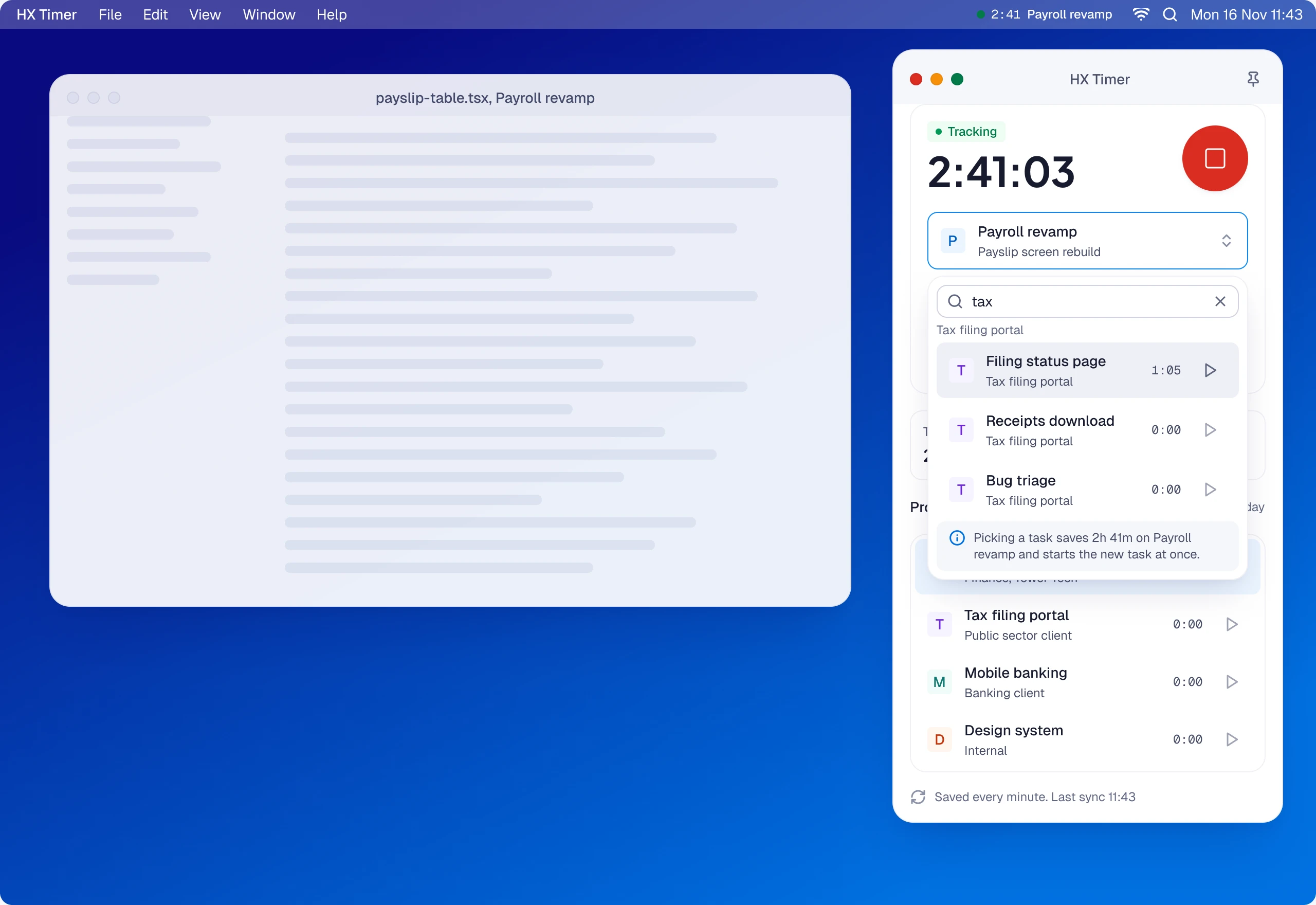
11:43 Switch. Picking the Tax filing portal task saves Payroll revamp at 2h 41m and starts the new entry in the same click.
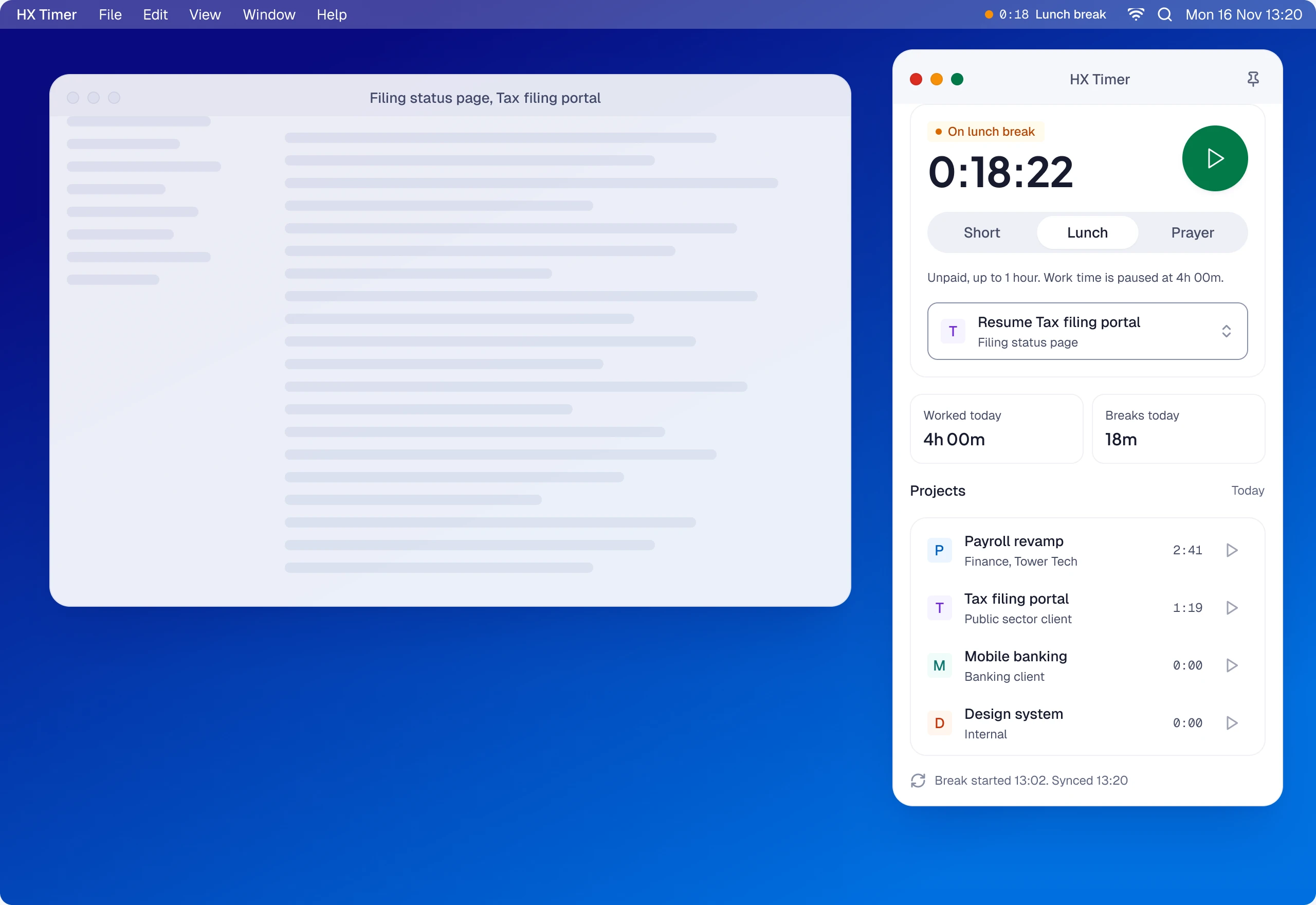
13:02 Lunch. Work time stops at 4h 00m and the window shows the break: how long he has been away, and one button back.
16:40 Idle. After ten quiet minutes the app asks what the time was. He discards it, and nothing reaches his clock sheet.
The rest of the day
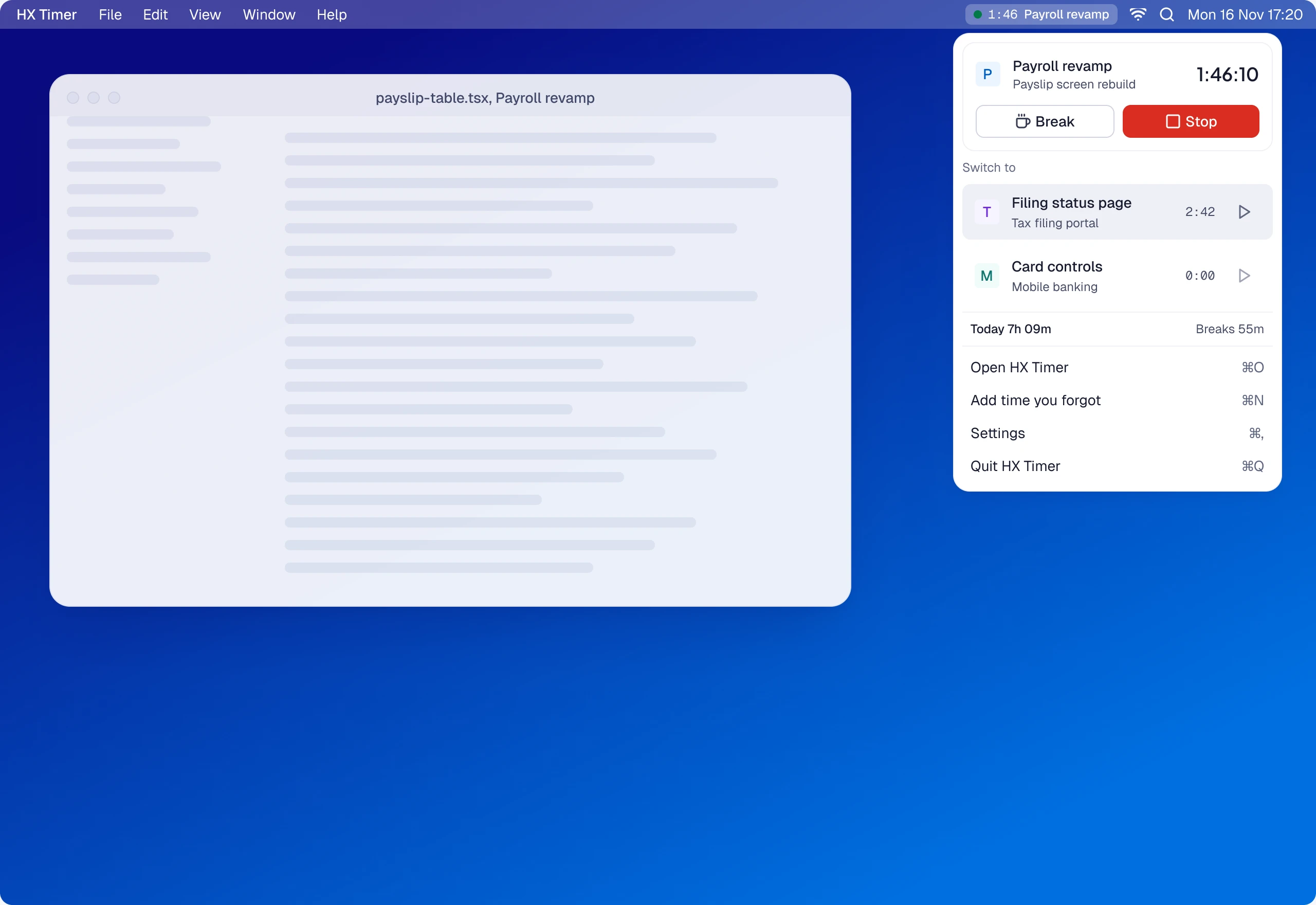
Everything from the menu bar or tray
Start, stop and switch with the window closed.
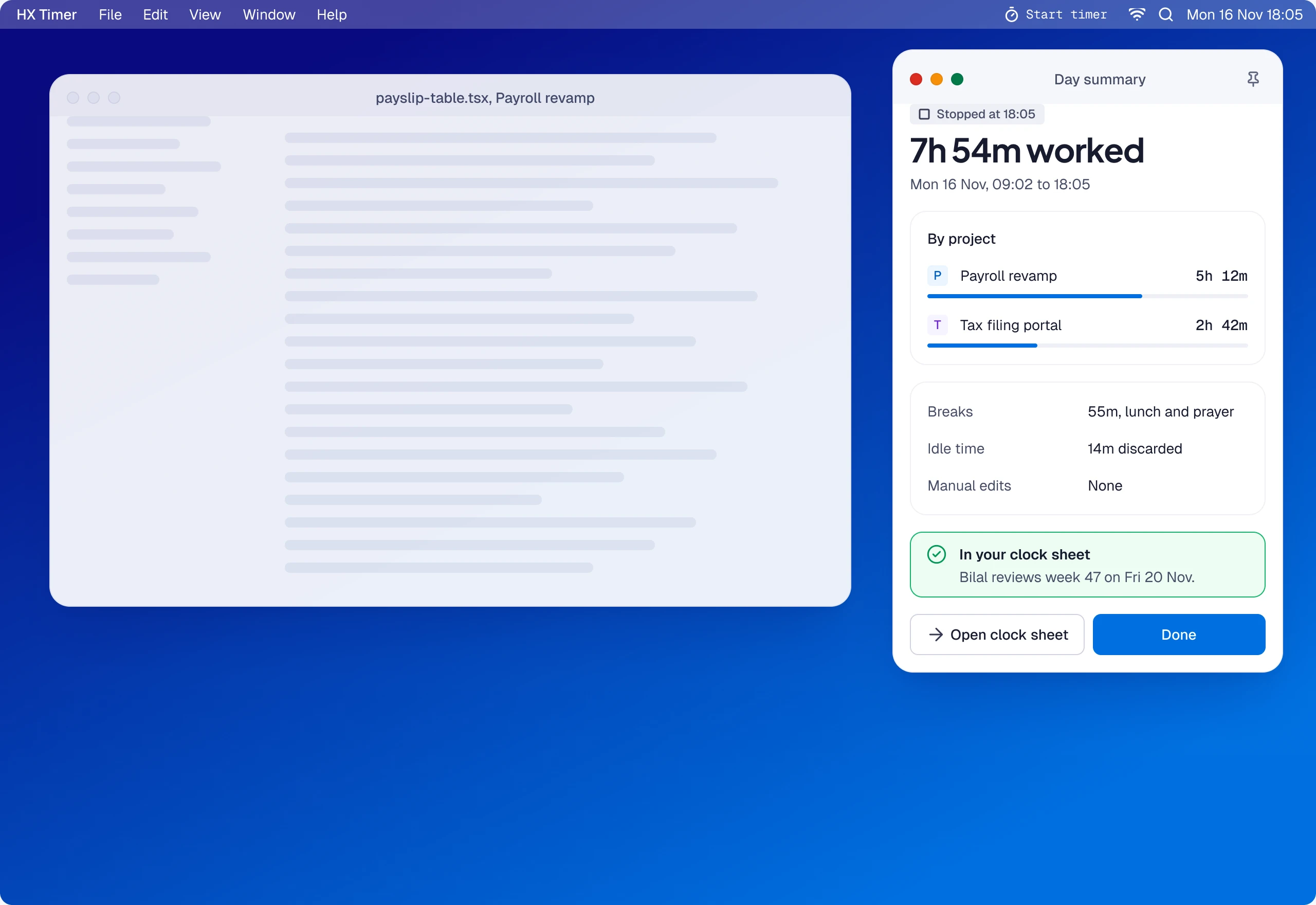
End the day, already filed
A summary by project, with breaks and idle time, already in the clock sheet.
Building B2B SaaS with complex workflows or AI features?
Send me the screen, or the idea. I’ll reply with what I’d do first.